PHASE 1
Introduction
In this individual assignment, students are assigned to choose a work system with an interface. It can be either physical interfaces or digital interfaces such as massage chair controls, kiosks or arcade games.
Humans interact with various types of interface in everyday life. Humans create their own mental concept on everything they perceive or observe. Thus, they tend to have different or unique understanding on certain work system. How they interact with it? How they manipulate it.? It totally depends on their experience or prior knowledge. A designer holds a tough job in designing each component or detail of an interface. The components of an interface should be linked to each other in order to construct it as a unit of working system. This would help the targeted user to interact and manipulate the interface according to its use or function. The transitioning process from one components to another should be in clear and simple instructions. User interaction typically involves doing something, then often “transitioning” to do something else, and so on until accomplishing the goal (Parush, 2015).
Throughout the process of breaking down every aspects of the selected interface, student should be able to observe and analyse the reasons of the successes and failures of interfaces from the human cognition perspective. A well designed interface is important in the sense that it makes it easier for human or the target audience to clearly see what the products are. In simple terms, interface is designed in such a way to display the offered services without ambiguity to the user from various group of age, experience, prior knowledge or cultural background.
Next, students should know how the design of the interface influence the interaction as well as how it can affect the overall user experience. The basic rules include the communication from the interface to the user and vice versa. A good interface will facilitates interaction with the targeted user. If the interaction between user and interface does not go smoothly, problem tends to follow. Simply put, make it simple for the user to use the interface.
To differentiate between a good and bad designed interface, student should derive the work process according to the human factors components which includes the user, task, environment, and equipment/tool. Ability to chunk or break down the working process will help to evaluate every detail of the interface such as its strength or weakness. There are several phases and processes in the user interface design, some of which are more demanded upon than others, depending on the project (Wolf, 2012). The work system comes in various forms or types. Be it a device, application or website.
In the assignment, the selected interface is T790 Treadmill as shown below.
Interface
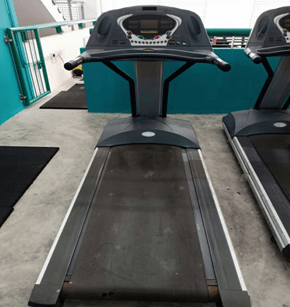
Brand: Healthstream
Discovering Requirements
Persona
Maria is a second year undergraduate student at Universiti Malaysia Sarawak (UNIMAS). She is a full time student in Bachelor of Finance of Faculty of Economy and Business. She is 21 years old. Maria actives in events or activities held by her college or faculty. Plus, she has position in her club. She spend less time to exercise due to tight schedule. Maria used to practise indoor exercise. One of her favorites routine is jogging but she feels uncomfortable to jog in because of the unsecured environment. Thus, she has her own treadmill at home. Since she enroll to UNIMAS, she rarely has time for herself because of tight schedule. Now, she want to practise her old exercise routines to gain her stamina as a busy student.
Goals
Maria has set a few goals for herself. She wants to do indoor exercises especially jogging on treadmill. Most importantly, she wants a secured and comfortable environment to jog. Using treadmill in the UNIMAS Gym will help her to gain stamina as it is one of her favourite exercise routines. She hope that she can do well in her study when she become a productive student because she will spend more time to improve her physical health.
Next, Maria prefer to use a treadmill that provides clear steps for the first time user. She knows that the treadmills provided by the UNIMAS Gym are different from her own treadmill. Different treadmill brands provide different steps and interfaces. Thus, she prefers to use a treadmill that provides sufficient and clear instructions so that she will spend less time on exploring the interface. She only spend about 30 minutes on jogging.
Motivation
Maria is motivated to use the treadmill because she decides to practice her favourite exercise routine which is jogging. She does not have to jog in public as UNIMAS Gym provides treadmill. Also, Maria is driven by her goals to gain stamina and become a productive student in both academic and co-curricular when she decided to register for a RM25 membership in UNIMAS Gym instead of having a tight schedule. She wants to make it as a routine just like before she enrolling in UNIMAS.
Frustrations
Even though she has enough experience in using her own treadmill, she still face the same difficulty when using different brand of treadmill just like first time user. She does not have enough time exploring the treadmill interface because she only have 30 minutes to jog and the remaining 20 minutes for the other exercise routines.
She needs to attempt the “try and error” process to use the treadmill as the treadmill interface provides different functions for the same button. Maria is a little bit confused at first to determine the function of the buttons. She is unable to use the treadmill properly as she is not used to it. She has to spend her time more on pushing different buttons instead of jogging. It affects her plans to do other exercise routines as she has arranged specific time for each routines.
Scenario
Sometimes, Maria sleep late at night to do her assignments or paperwork for club events. She has a hectic week especially on Monday, Tuesday and Thursday because her schedules is packed with classes, assignment discussion and meeting for the upcoming event . She has to wake up at 5 a.m. every morning because her class start at 8.00 a.m. . She needs to wake up early because she does not want to oversleep and miss her class.
At 8 a.m. until 6 p.m. , her schedule is packed with classes. She only has 2 hours left to do something else because at 8 p.m. she will usually attend a club meeting, event meeting , assignment discussion or attending the college event which is usually end late at night. On Wednesday and Friday, Maria will spend her times to do her assignments and club works because her class usually end at 2 p.m. on Wednesday. She does not have class on Friday. Thus, she will spend her time on studying. Sometimes, she can rest at night when there is no event or meeting. On weekdays, she usually focus on her club.
Maria quite miss her old exercise routines before enrolling to UNIMAS. She spent one hour a day to exercise indoor. Her favourites routine is treadmill jogging. She does not prefer to jog in public because she does not feels safe and comfortable. Hence, she has her own treadmill at home.
On Wednesday, Maria decided to practice her old exercise routines. She want to be balance her life style. She decided to register for one year membership at UNIMAS gym as she rarely has time for herself especially her physical health. As she does not prefer to jog in public, she want to use the treadmill provided by the UNIMAS gym. On Wednesday, Friday and Saturday evening, she will spend about 30 minutes for treadmill jogging and the remaining 20 minutes for other routines.
Tool
Display and Control
Both display and control have specific functions support each other.
1. Display
The treadmill interface applied the dynamic display.
Example:
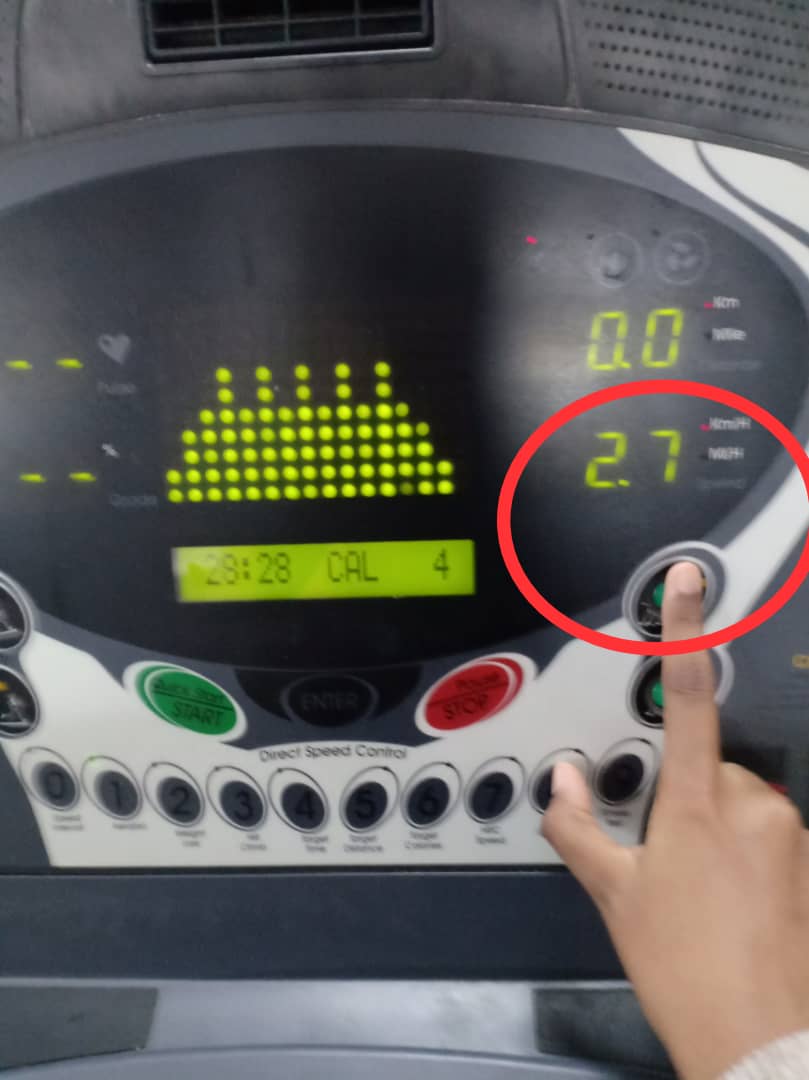
i) Whenever and whatever the user enter the input for speed and workout time, the LED (dot matrix display) will display the input. This shows that anything displayed on the LED (dot matrix display) is temporary and can be changed.
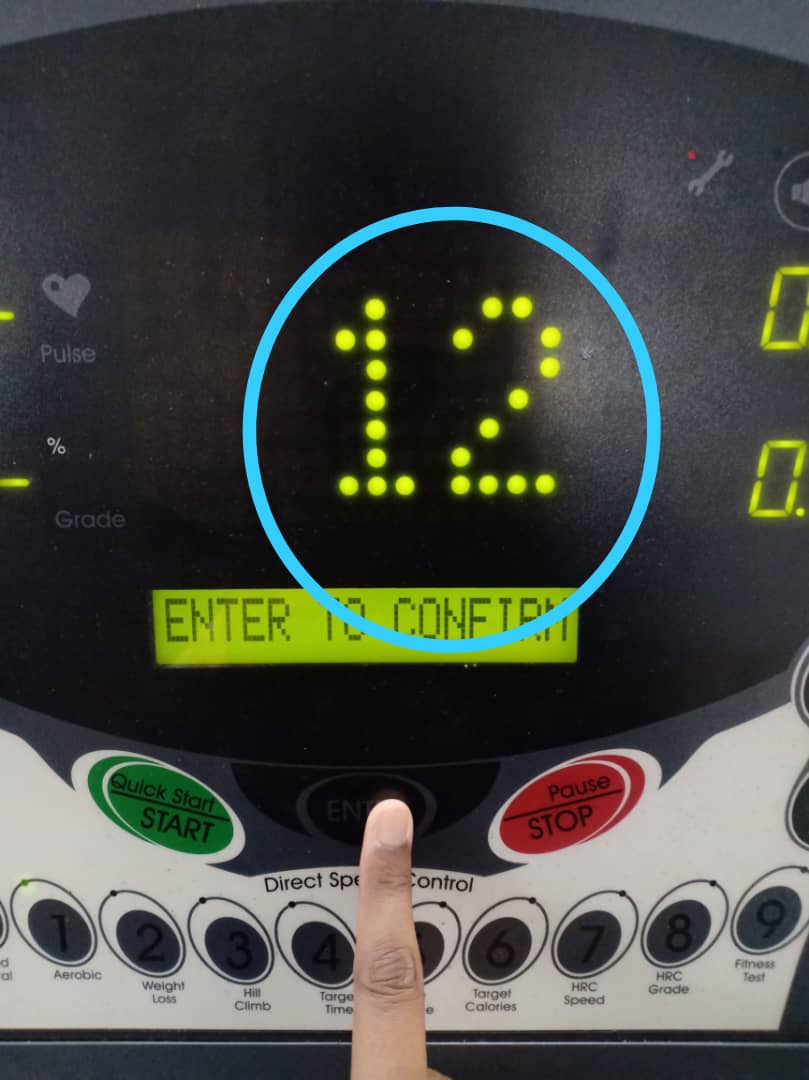
The LCM will display the speed of the running treadmill belt and the distance. The displayed speed can be changed anytime when the user slow down or speed up the workout program. The left image below shows that the initial speed of the treadmill belt which is 1.5 KM/H. The right image shows that the user increasing the speed up to 2.7 KM/H.
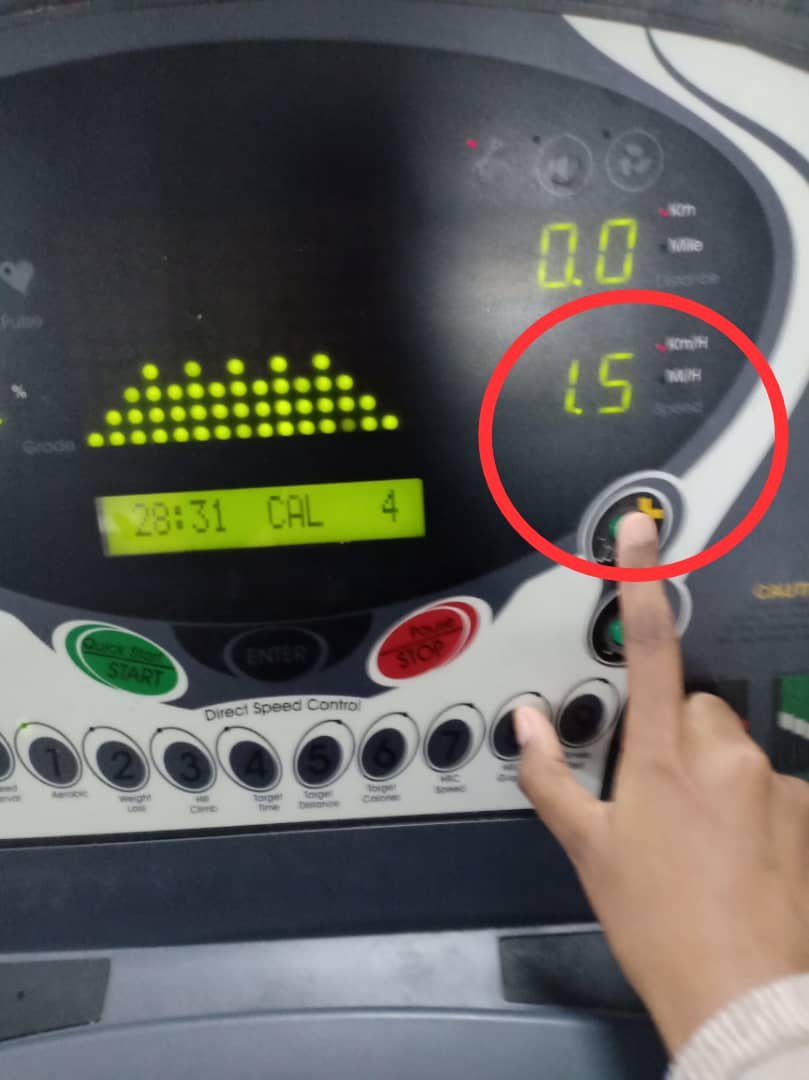
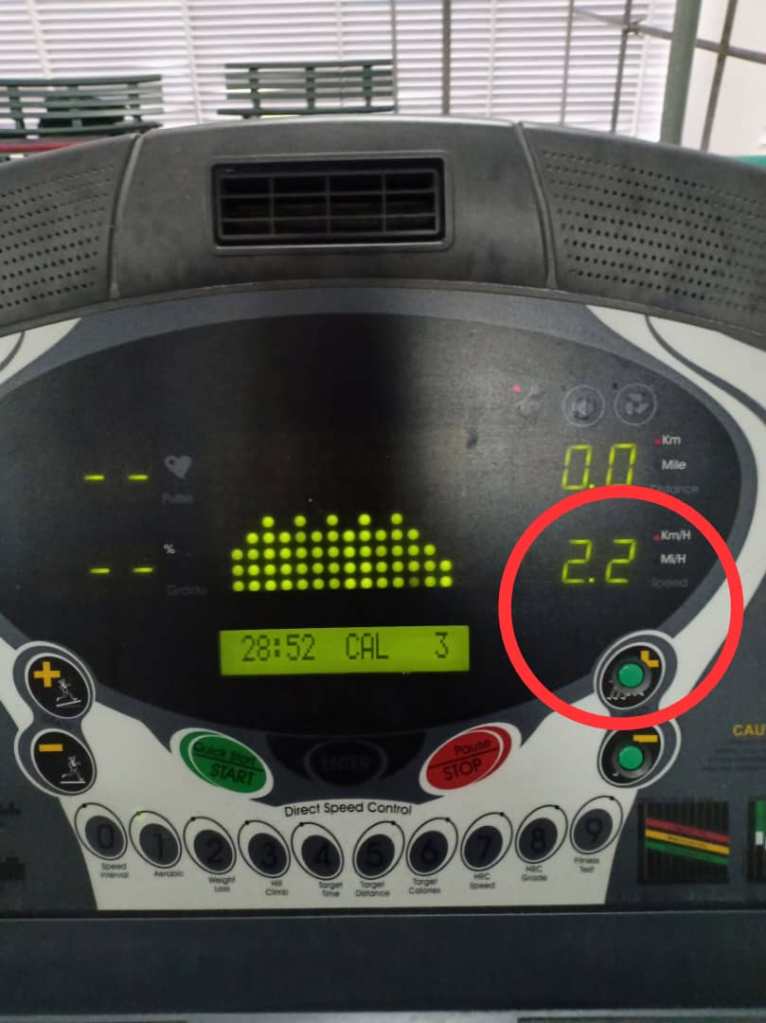
Next, the treadmill interface also applied the quantitative display. Quantitative display will shows the exact information. Quantitative display is basically means that it is capable of being measured or it has a quantity. Quantitative displays are by definition those that provide information in measurable amounts (Reising & Emerson, 1985).
Example:
A quantitative speed reading would show that user is running or jogging at 2.2 kilometres per hour on the LCM.
Digital quantitative displays present information directly as numbers, for example, the clock on your computer. The use of a particular quantitative display depends on the kind of information that is required. The actual attention that people pay to public displays isone of the key parameters of digital signage. The comparative case study of Huang et al. (2008) reveals that paying attention to public displays is a complex process, which depends on several criteria such as positioning of the display, displaysize, content format and content dynamics.
2. Control
Control allows the user to communicate with the interface and to manipulate them. Control can enable the users to direct the machinery that can help them to generate more power and to reduce effort and risk. Control helps to transmit information to an interface. When the users use a control, information is transferring from them to the interface. The user will gather information from the object via feedback.
i) The treadmill interface applied the discrete control activation. Discrete control activation use a limited number of conditions, for example, a light switch, which is either on or off. Feedback is an important feature of discrete controls. Discrete control activation is simple and has fixed magnitudes of information provided to the work system. This kind of control is used when it involves a small mechanical force to perform the task.
ii) The tactile feedback is also supported by the visual feedback. The light that turns on when the button is pressed. Also, the LCM will display information for every pressed button by the users. Thus, the users know the the changes that occur when they press the button.
Example:
i) The buttons on the interface provides tactile feedback. When the user presses the button, it will move downward to let the user knows if the action is completed or not. The tactile feedback provides the user with clear information of the buttons movement.
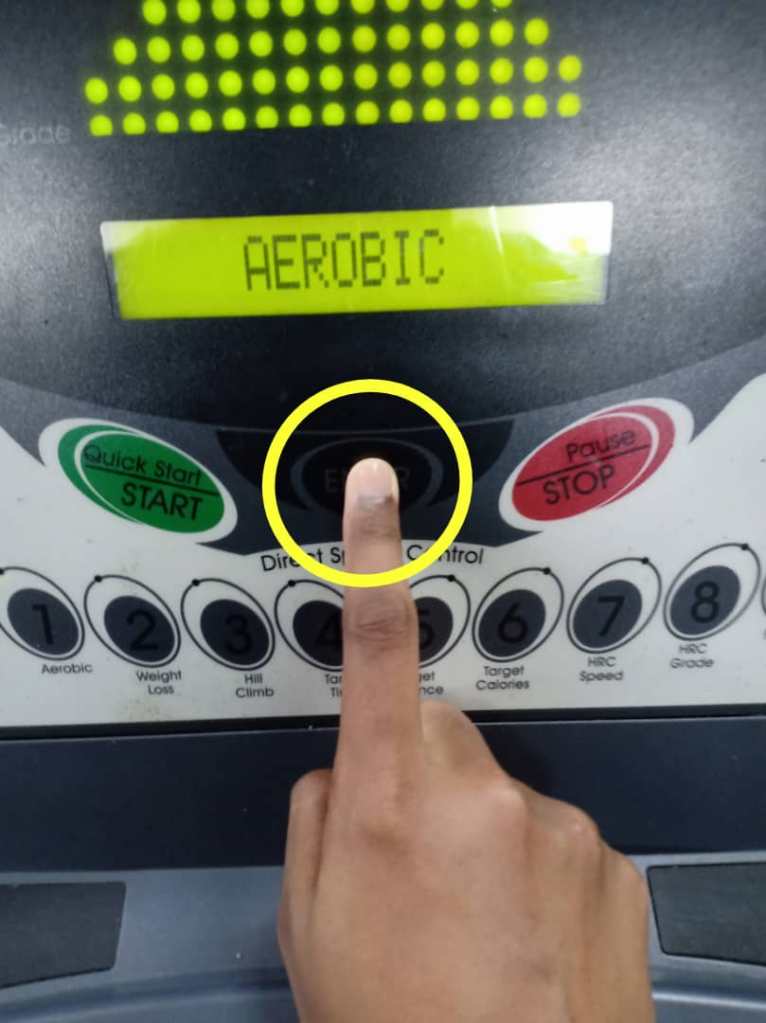
When the user presses the number 1 button, the fingertip able to feel the exerted forces to the surface of the buttons. The user can feel when the button is pushed downward. A clear and well-specified labelling helps the users to perform the task well even though the button has the same shape or colour. The numerical buttons have the same colour and shape but the clear labeling under each button helps the user to perform the task easier. The user will press the button with number 1 on it for Aerobic program.
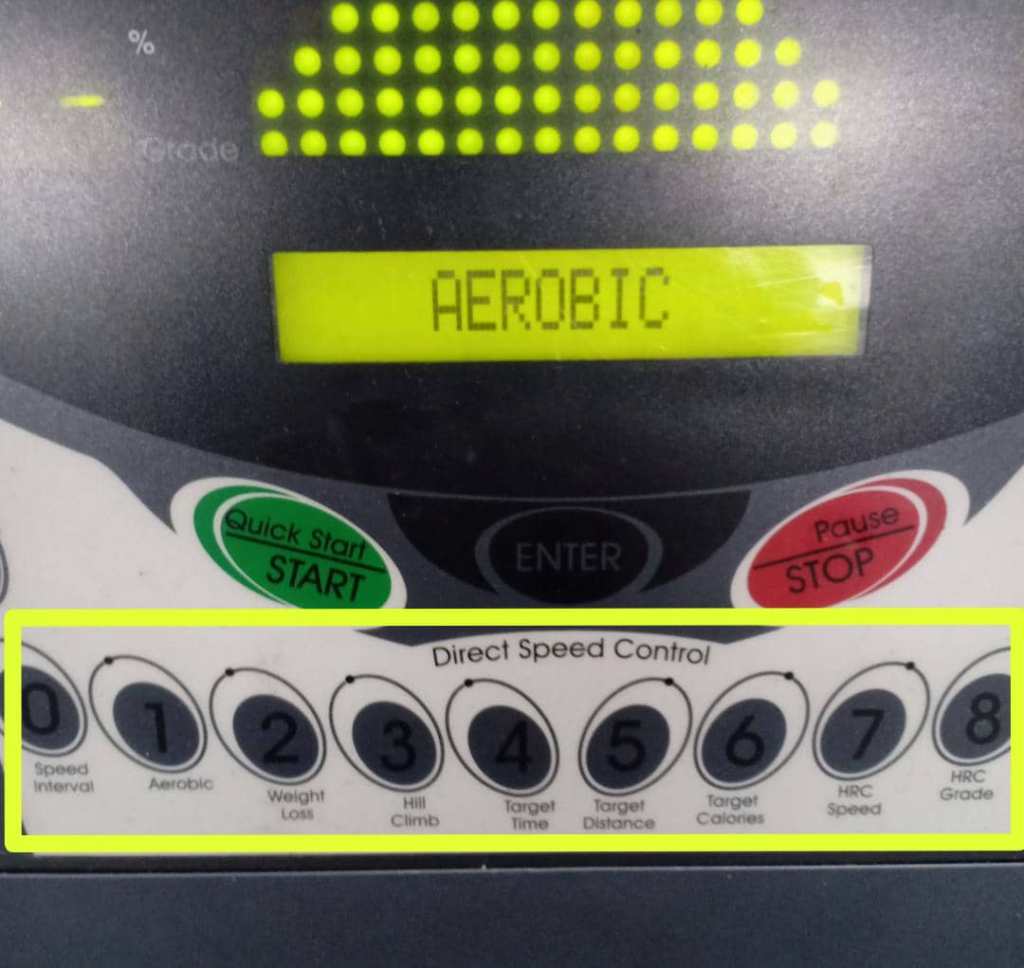
ii) The tactile feedback is also supported by the visual feedback. The light that turns on when the button is pressed. Also, the LCM will display information for every pressed button by the users. Thus, the users know the the changes that occur when they press the button.
The users will receive the visual feedback when the users press the number 1 button, the small green light will turns on. This shows that the task is completed. After the user press the number 1 button, the LED and LCM will display the information related to the function of the pressed button which also helps the user to know whether the button is completely pushed down or not.
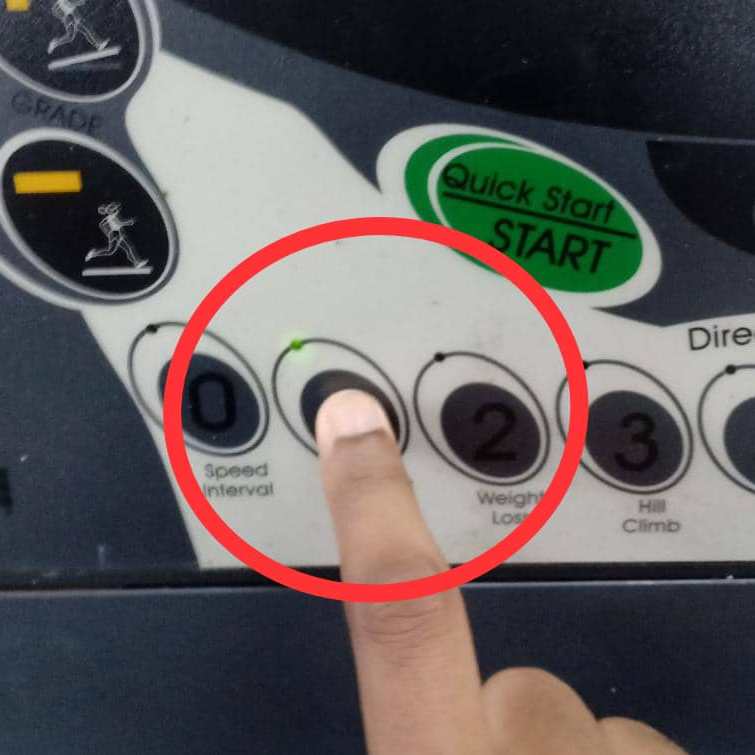
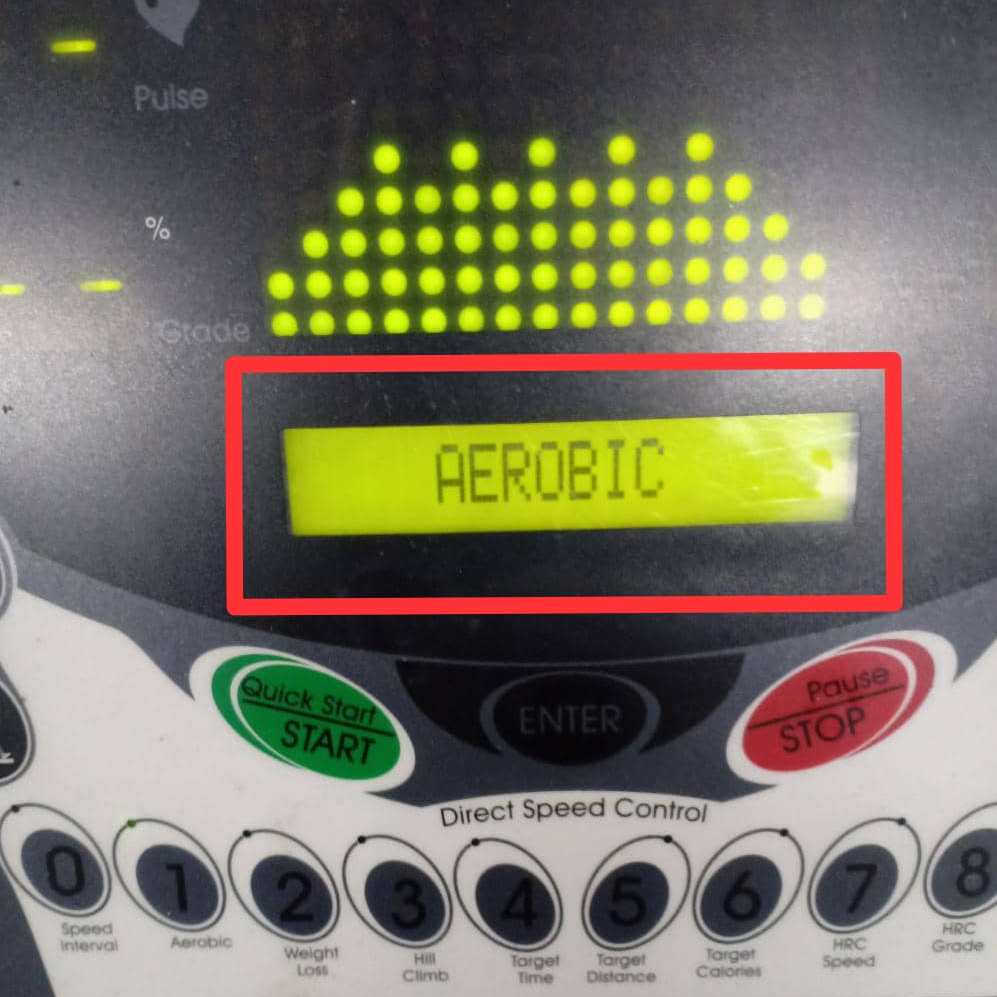
The small green light is turned on when the button is pressed meanwhile the LCM will display the selected workout program which is Aerobic program.
Task
Task: Choosing the Aerobic program.
1. The user need to insert the safety key to switch on the treadmill.
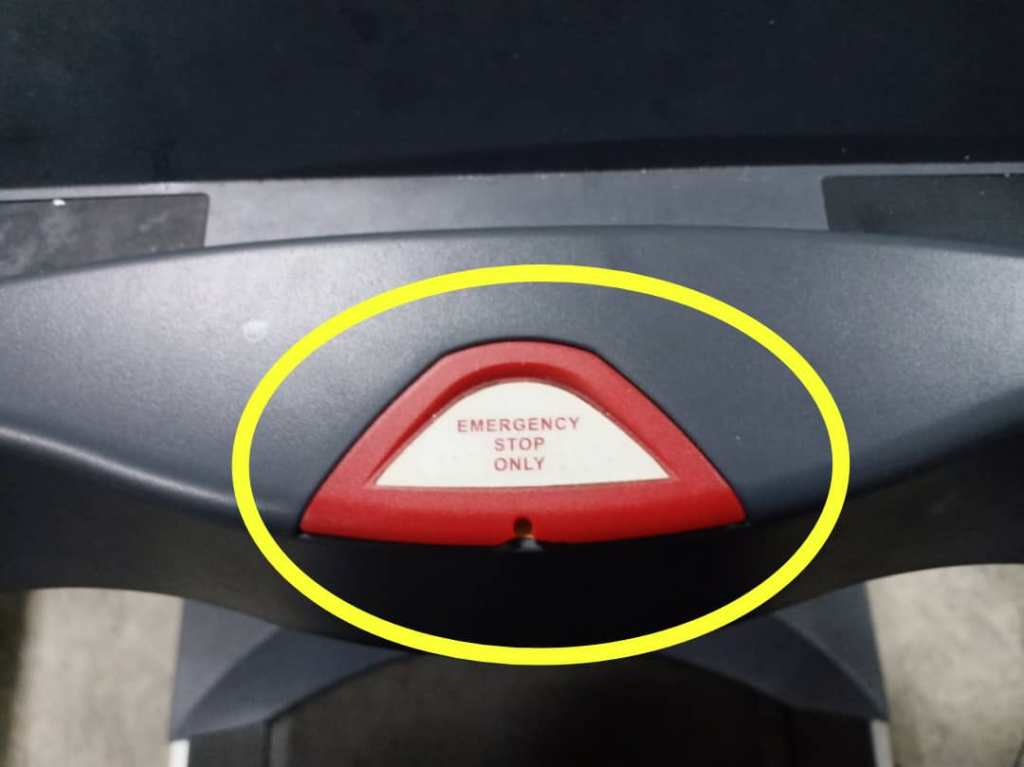
2. The user need to press the numerical button to choose the aerobic program: Key 1 or button 1
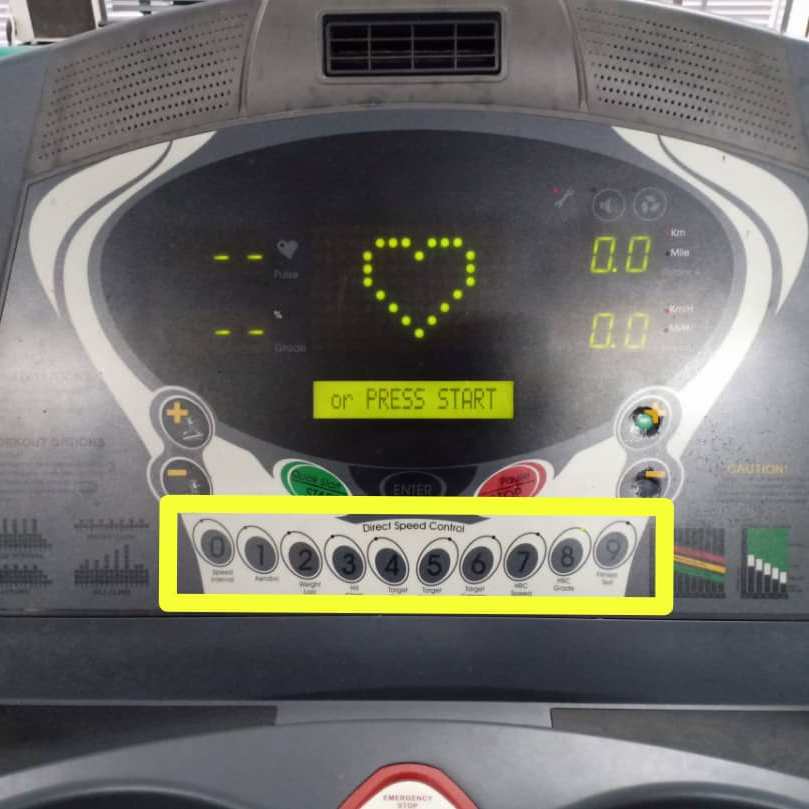
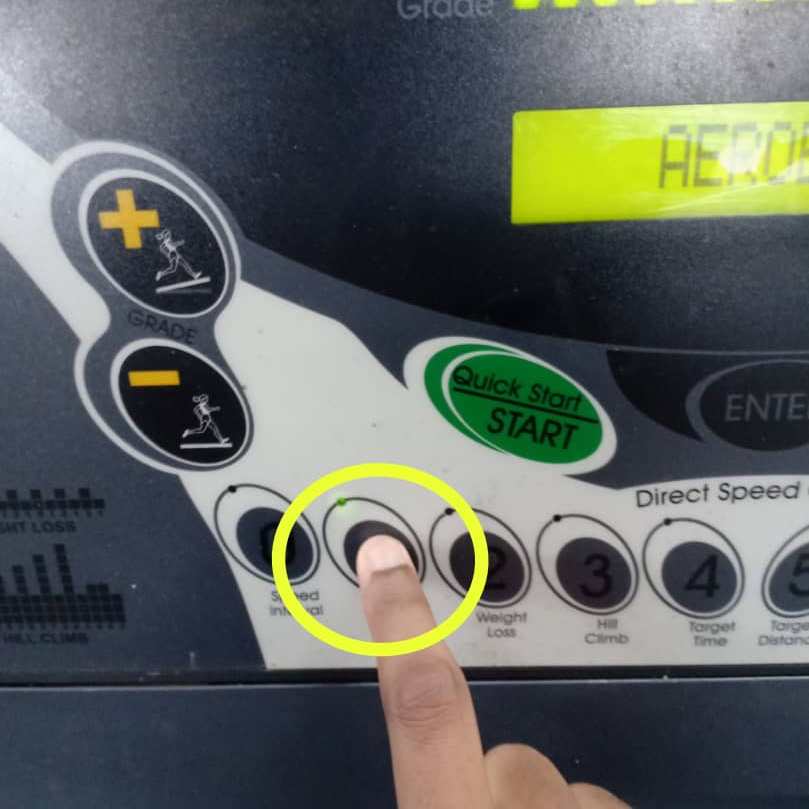
3. a) The LCM will display the type of workout program on the screen. “AEROBIC” will be displayed on the screen.
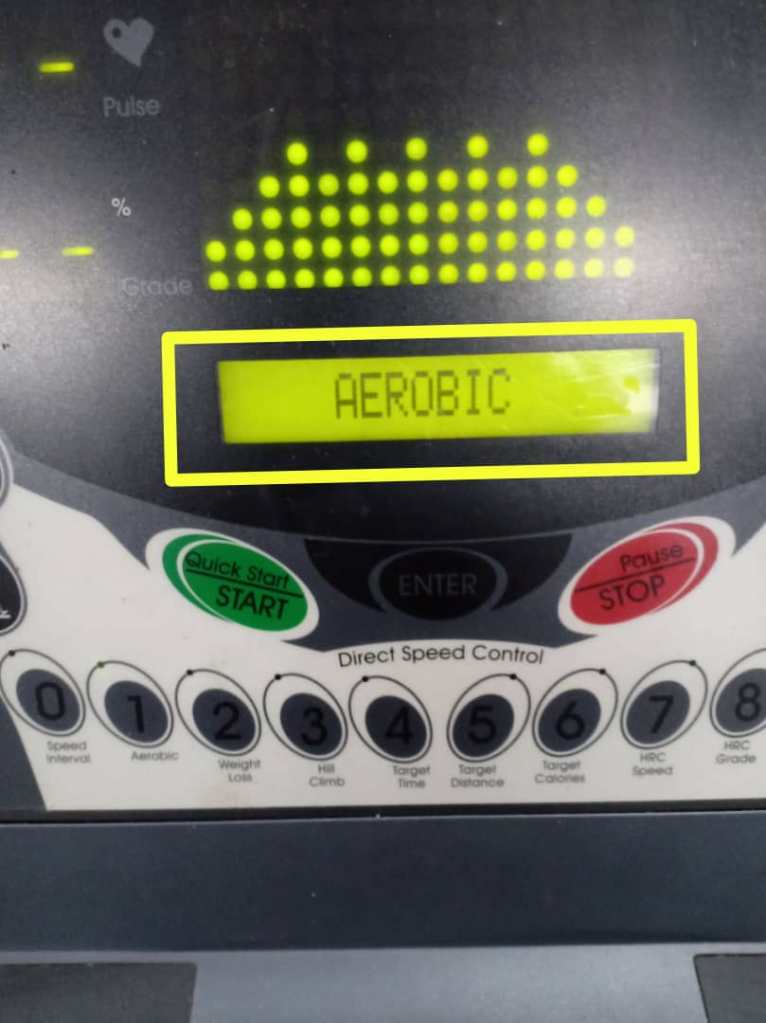
b) The user needs to press ‘ENTER’ button to select the ‘AEROBIC” program.
4. Key in the workout time and maximum speed.
a) Key in the value for workout time.
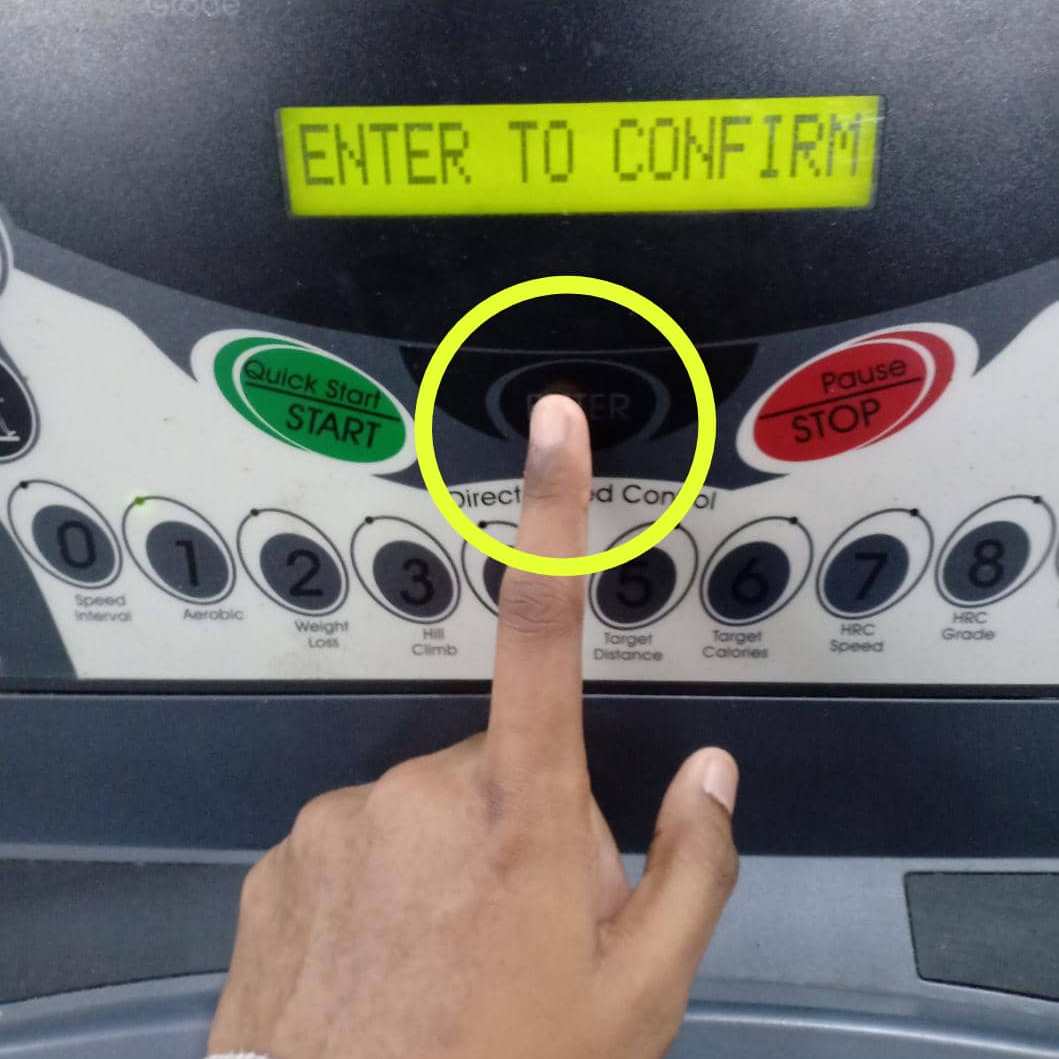
i) If in two seconds after number is entered, but ‘ENTER’ button is not pressed, then the LCM will display “ENTER to confirm”. If user pressed ‘ENTER’ button automatically after value input, then this message does not need to display.
ii) If the user does not enter the number in 2 seconds, then the LCM will display “ENTER to confirm” as the system will set the workout time automatically.
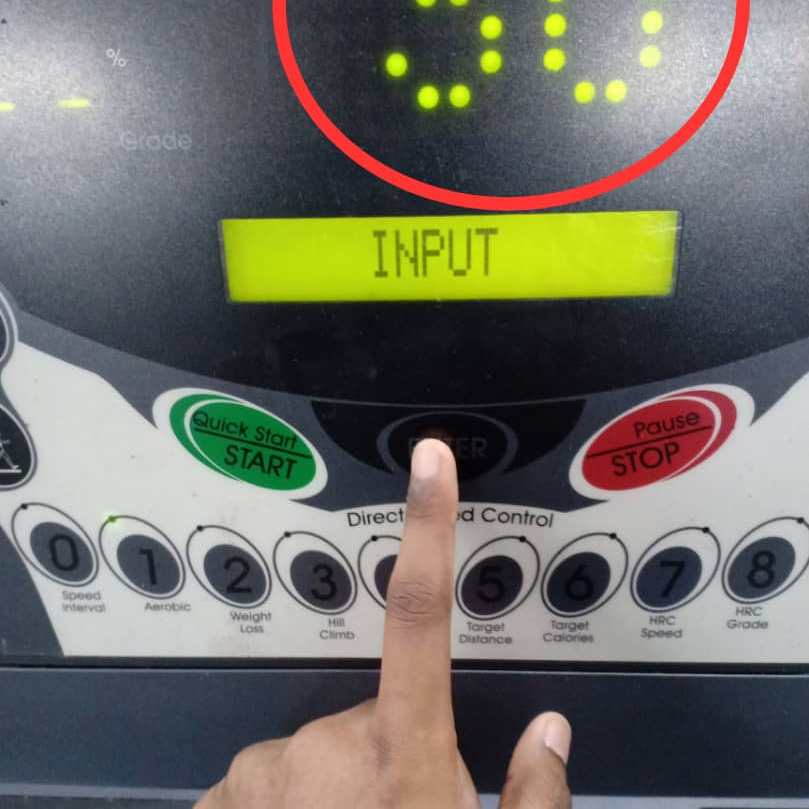
The user need to press the numerical button to key in the value for workout time. Press button number 3 and press button number 0 for 30 minutes Aerobic program in 2 seconds.
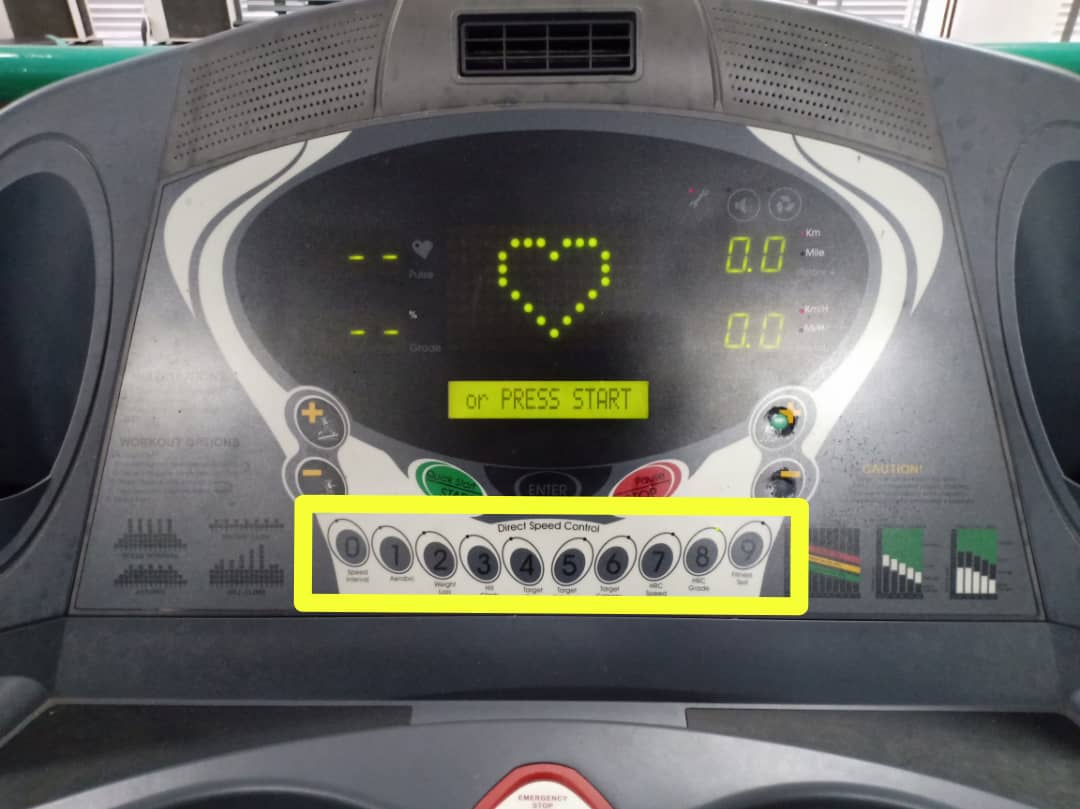
The LED (dot matrix display) will display ’30’ which represents the workout time. The LCM will display ‘ENTER TO CONFIRM’. The user need to press ‘ENTER’ button to confirm the value input or workout time.
b) Key in the value for maximum speed.
i) If in two seconds after number is entered, but ‘ENTER’ button is not pressed, then the LCM will display “ENTER to confirm”. If user pressed ‘ENTER’ button automatically after value input, then this message does not need to display.
ii) If the user does not enter the number in 2 seconds, then the LCM will display “ENTER to confirm” as the system will set the workout time automatically.
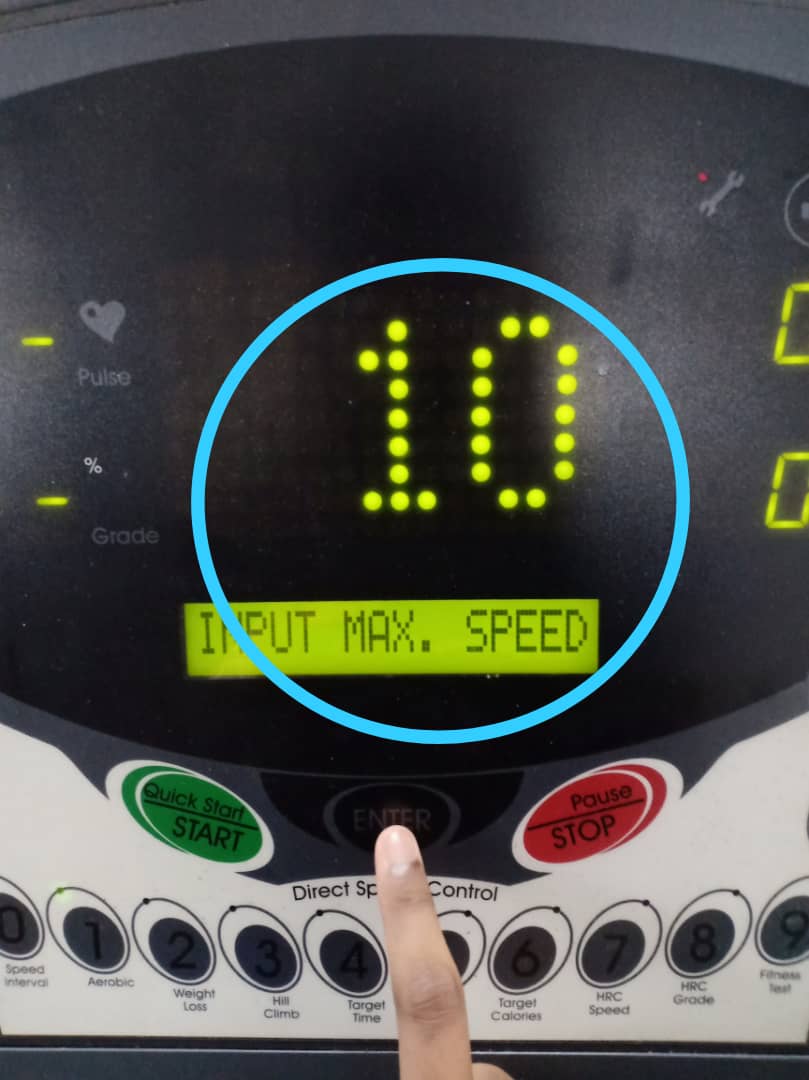
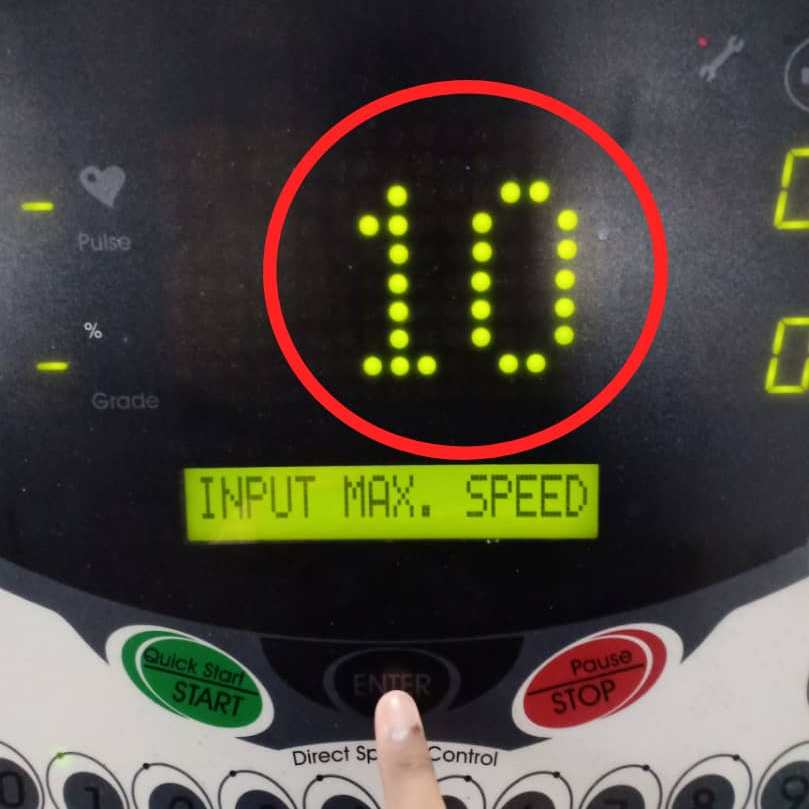
The user need to press the numerical button to key in the value for maximum speed. Press button number 1 and press button number 0 for the 10 km/h maximum speed in 2 seconds.
The LED (dot matrix display) will display ’10’ which represents the maximum speed. The LCM will display ‘ENTER TO CONFIRM’. The user need to press ‘ENTER’ button to confirm the value input or maximum speed.
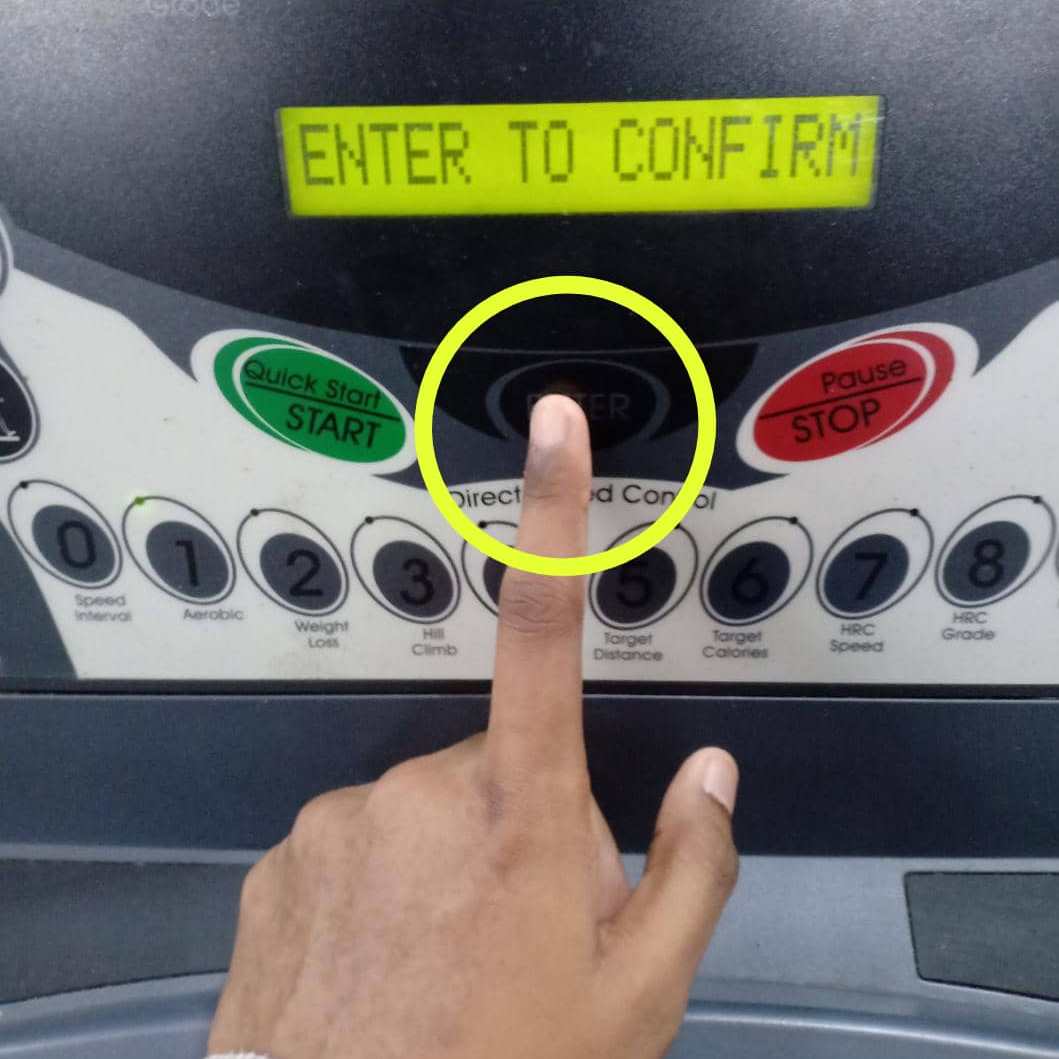
5. The LCM will display “PRESS START”. The user need to press ‘QUICK START/START’ button to begin the Aerobic program.
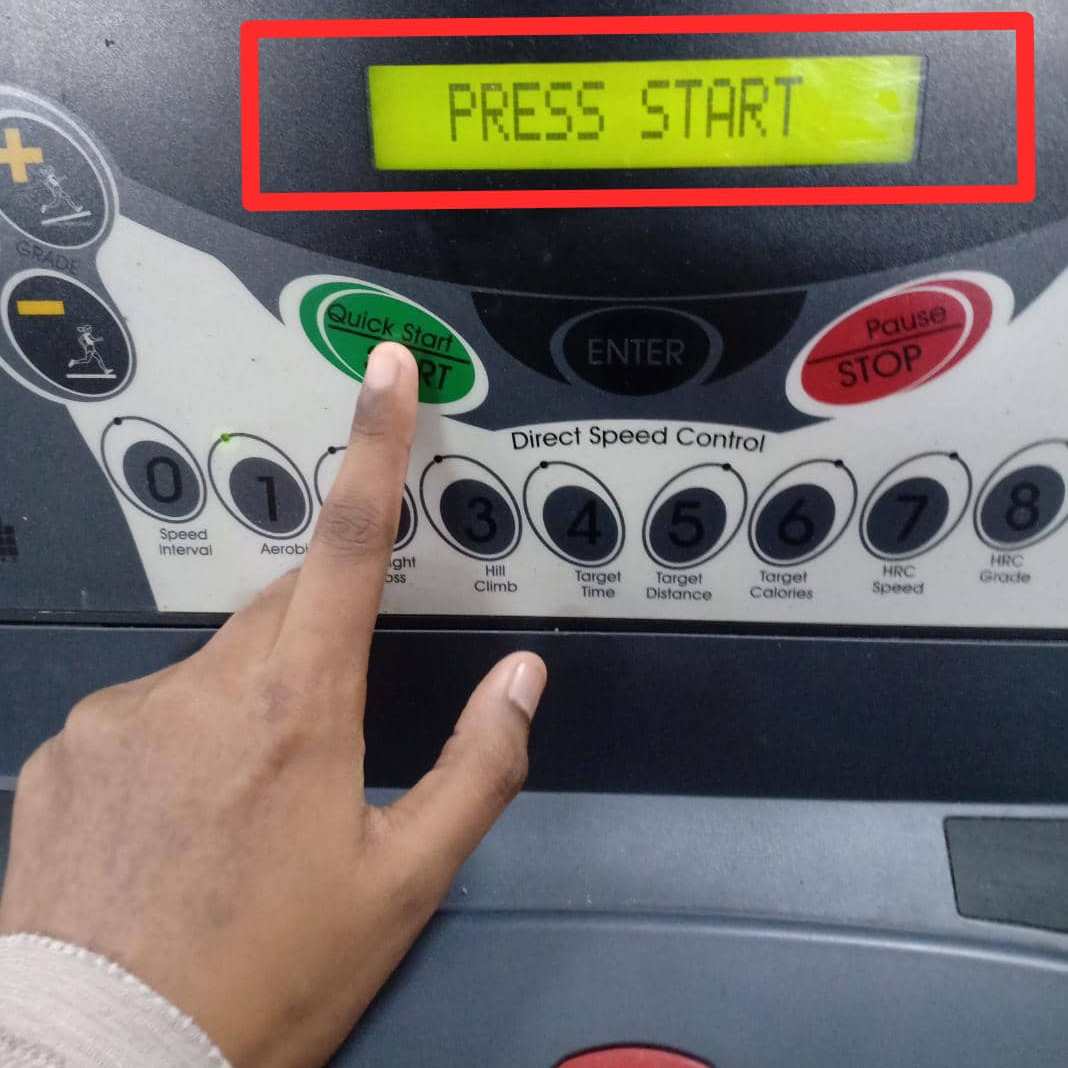
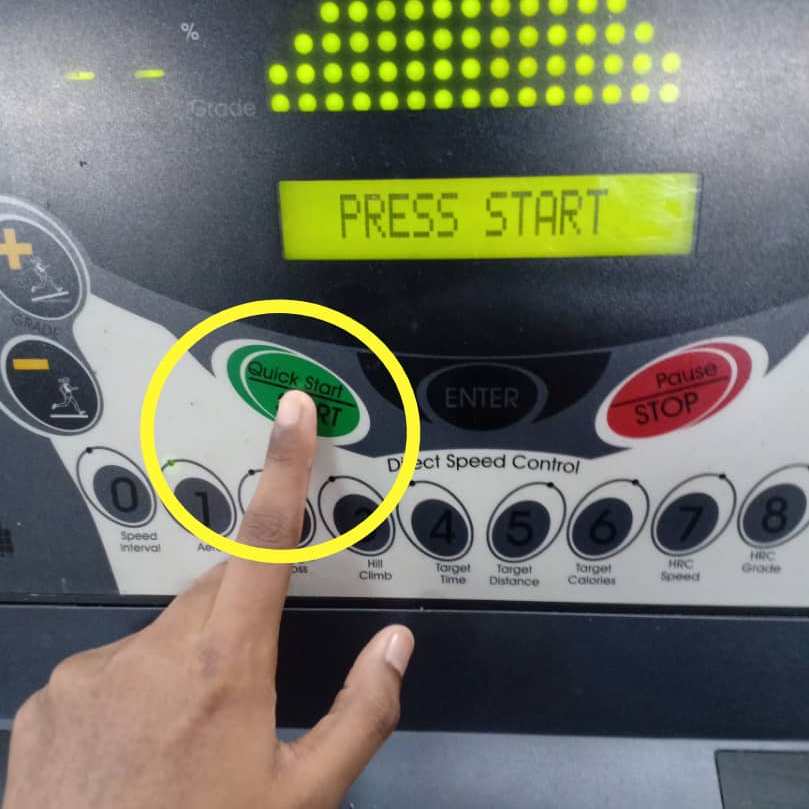
i) If the user presses ‘QUICK START/START’ button, LCM will display “GET READY”. Then, the LCM and LED (dot matrix display) will start to count down “3…2…1…GO!”.
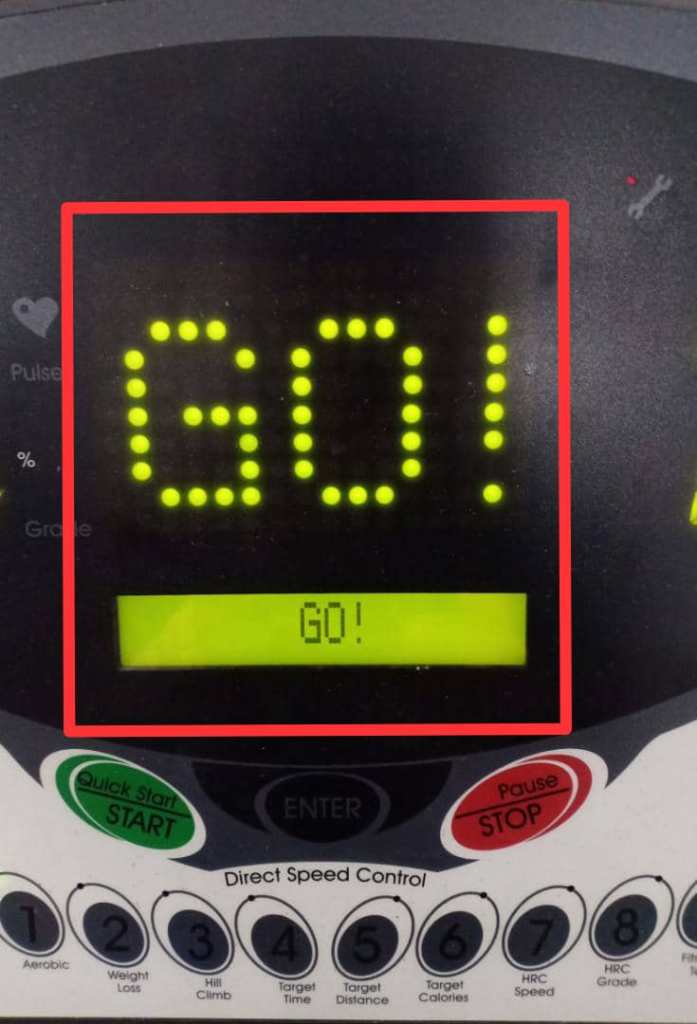
ii) The treadmill will activate speed and elevation based on the Aerobic program. (Level 1)
iii) The system will count down the time during workout session. The user can refer to the LCM display to see the time.
iv) During workout session, user can changes the program speed. The remaining program will scale up or down automatically.
v) User can presses the ‘PAUSE/STOP’ button if want to take a rest for a moment. The LCM will display “WORKOUT PAUSED”. The LED (dot matrix display) will display the recent Aerobic program time.
Example:
The user press the ‘PAUSE/STOP’ button at 2 minutes and 53 seconds during the Aerobic program. The LCM will display “WORKOUT PAUSED” and the LED (dot matrix display) will display ” 2:53″.
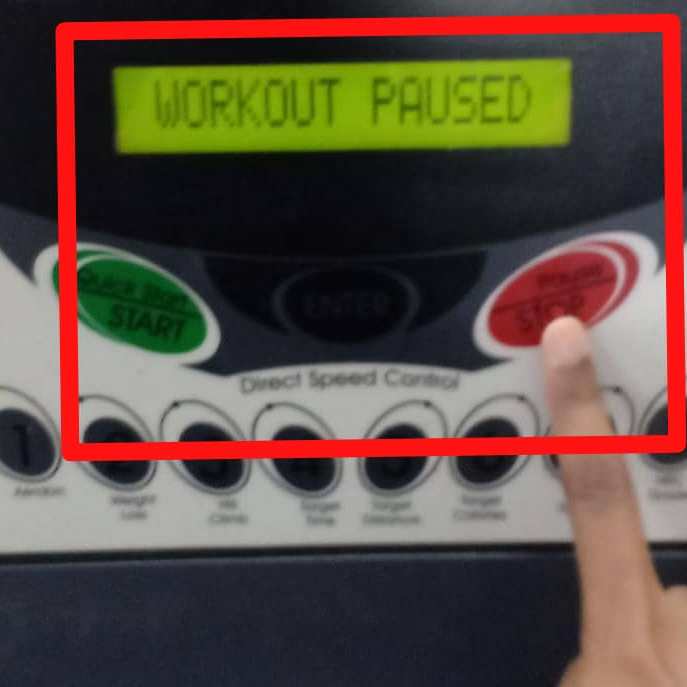
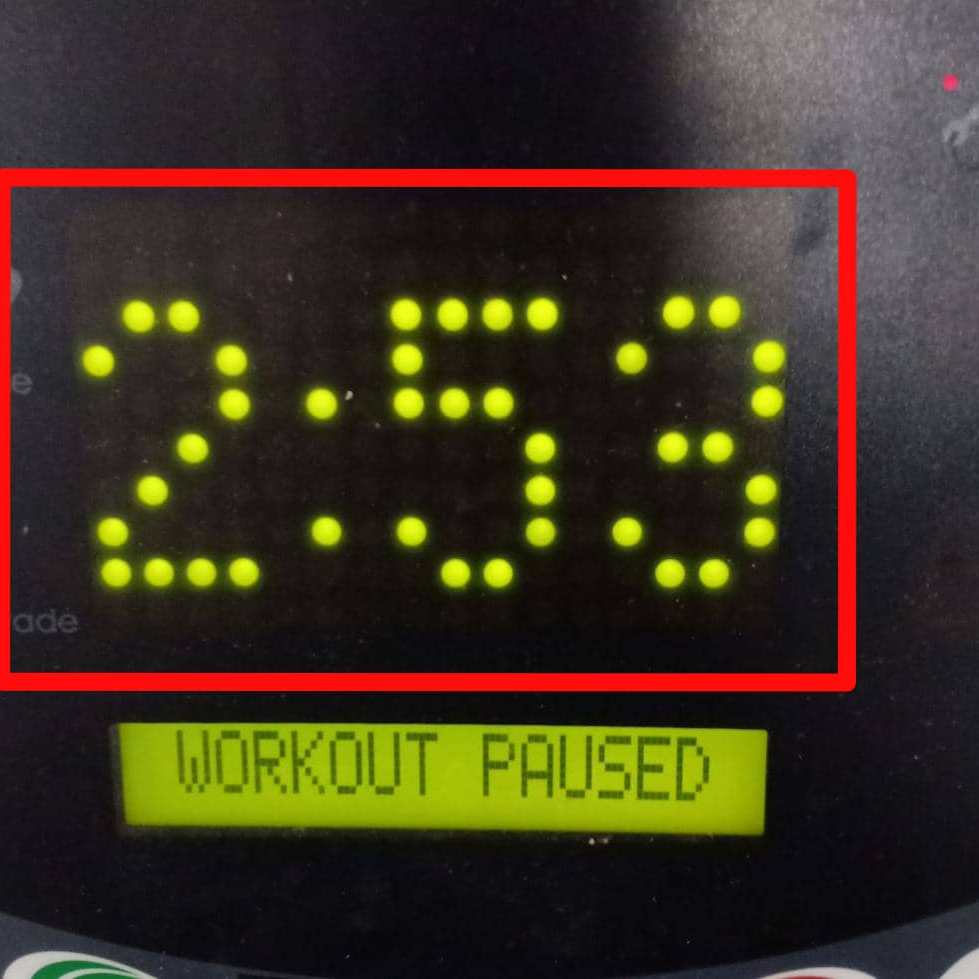
The user needs to press ‘QUICK START/START’ button to continue the Aerobic program.
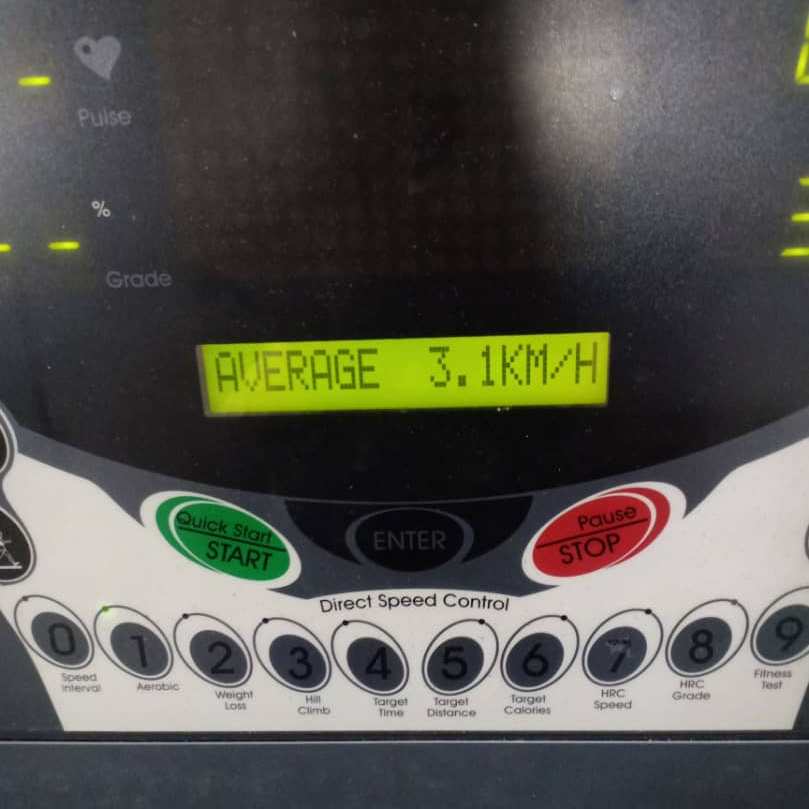
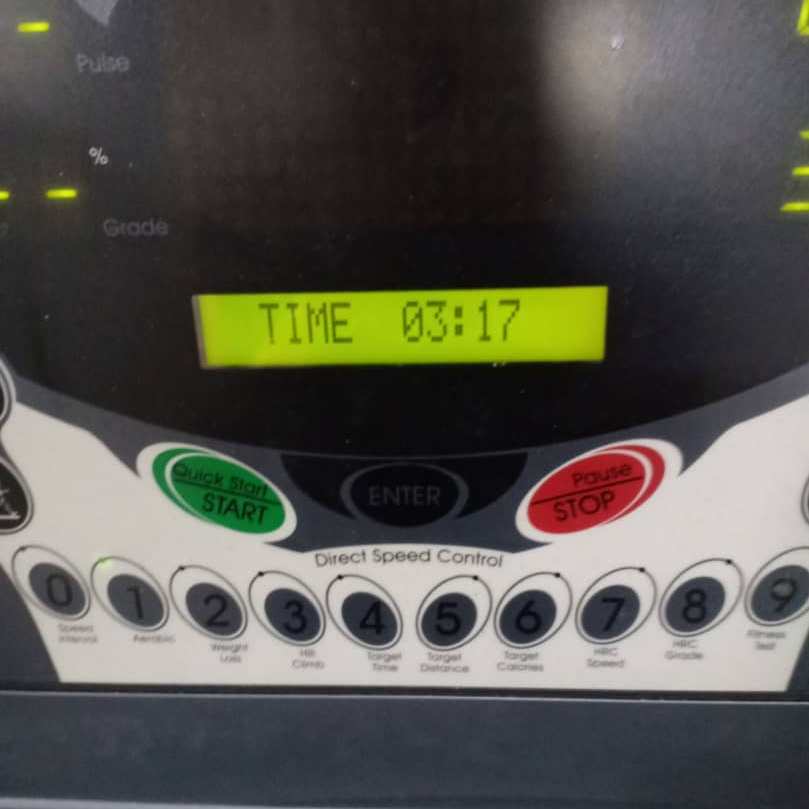
6. The Aerobic program will continue for 30 minutes. After 30 minutes, the Aerobic program will stop. At the end of workout, the LCM display will provide Aerobic program results which are the .total values for calories, distance, time, and average speed.
Example:
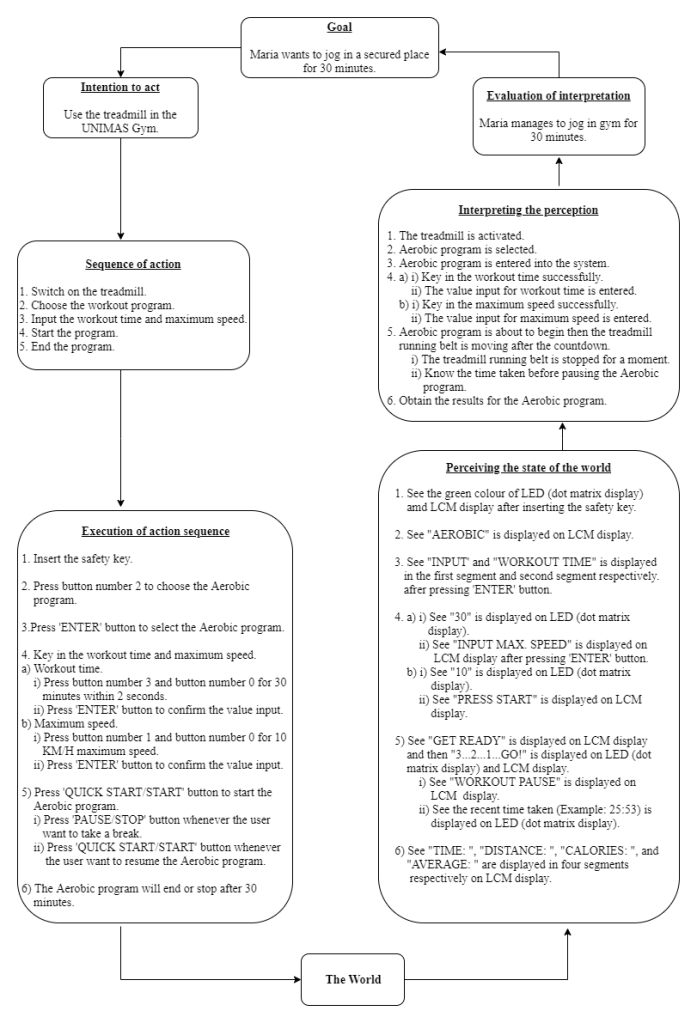
Norman’s Interaction Diagram
Environment
- Indoor (UNIMAS Gym)
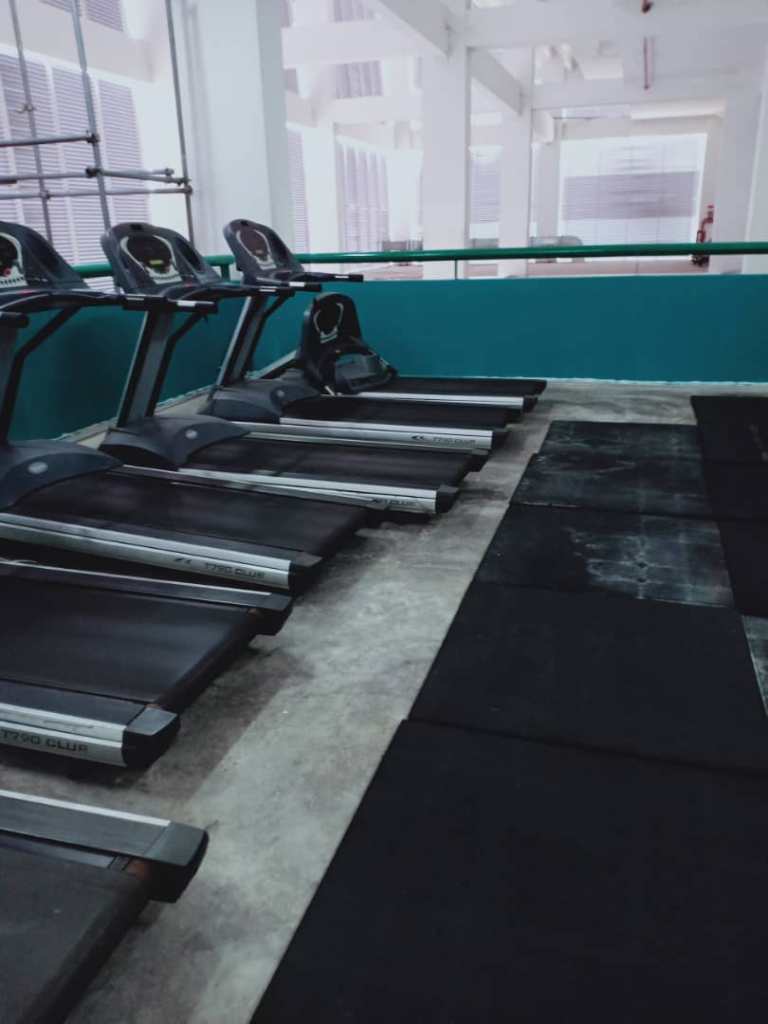
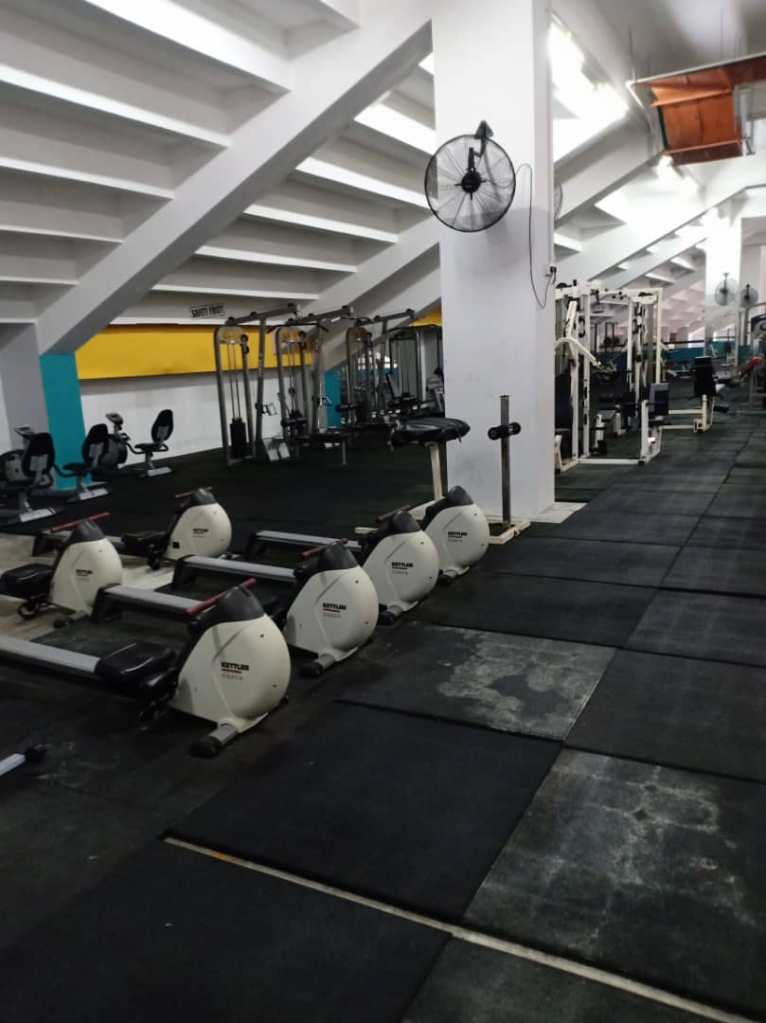
The selected treadmill is located in the gym at UNIMAS Gym. The environment is secured as it requires membership to use the gym. The gym is not crowded with the users as they come at different time and day. Thus, not everyone are using the UNIMAS Gym.
2. Noise
The level of noise in the UNIMAS Gym is very low as people come at different time. There is no peak hour where the gym is fully packed with people. The peace environment allows the users to focus on their exercise routines without being disturbed.
3. Light
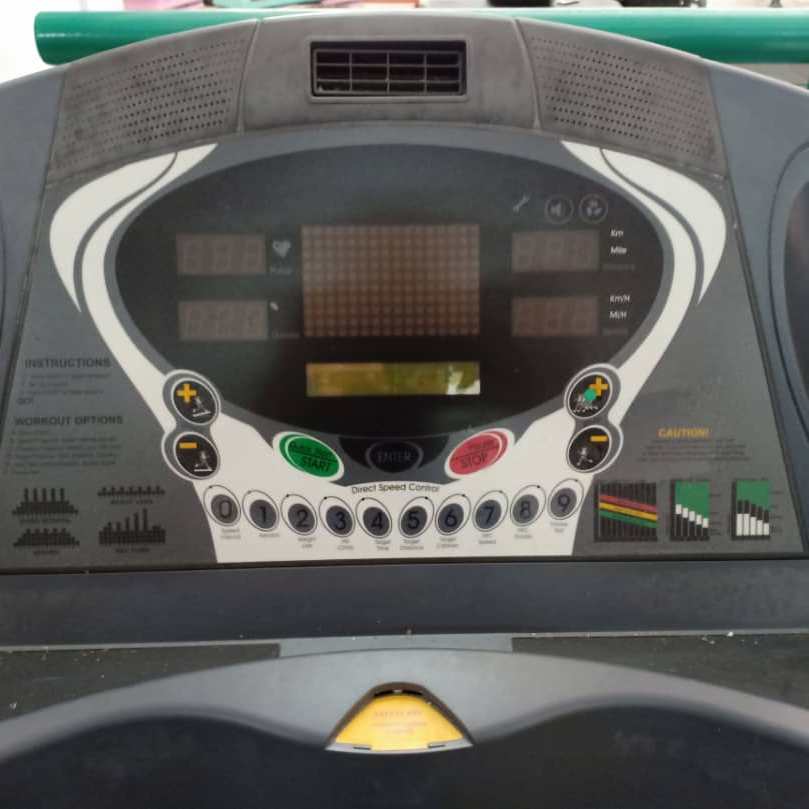
The lighting in the gym is normal. The light intensity is not too high and low. The gym users can experience a better view when using the equipments. It allows less risk of doing error when using the equipments especially the treadmill. The treadmill interface needs a good lighting from the environment to allow the user see the labels or buttons clearly. Thus to avoid error, a sufficient amount of light can help the user to use the interface efficiently.
4. Temperature
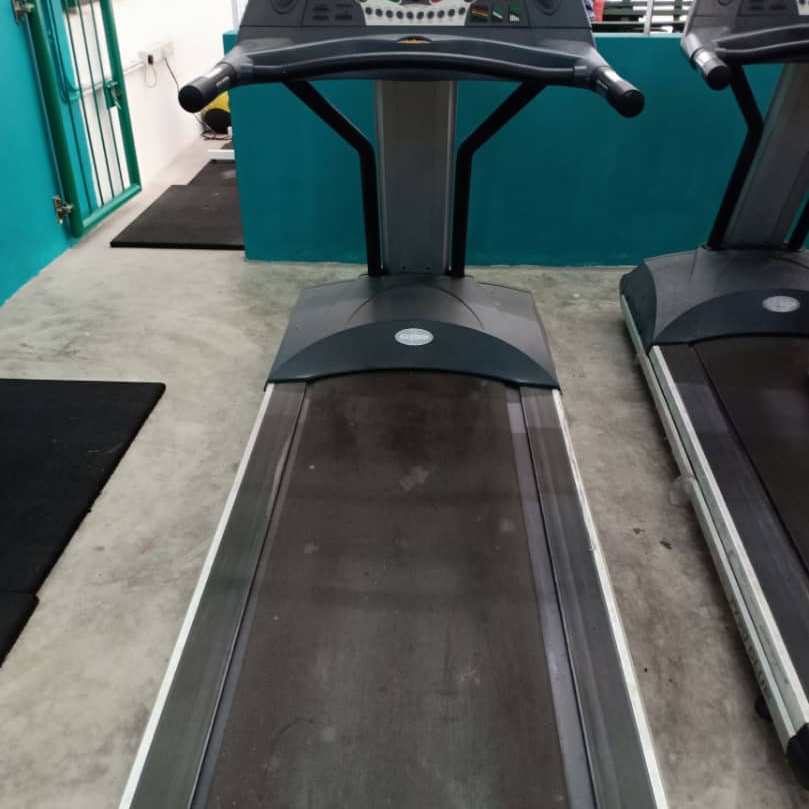
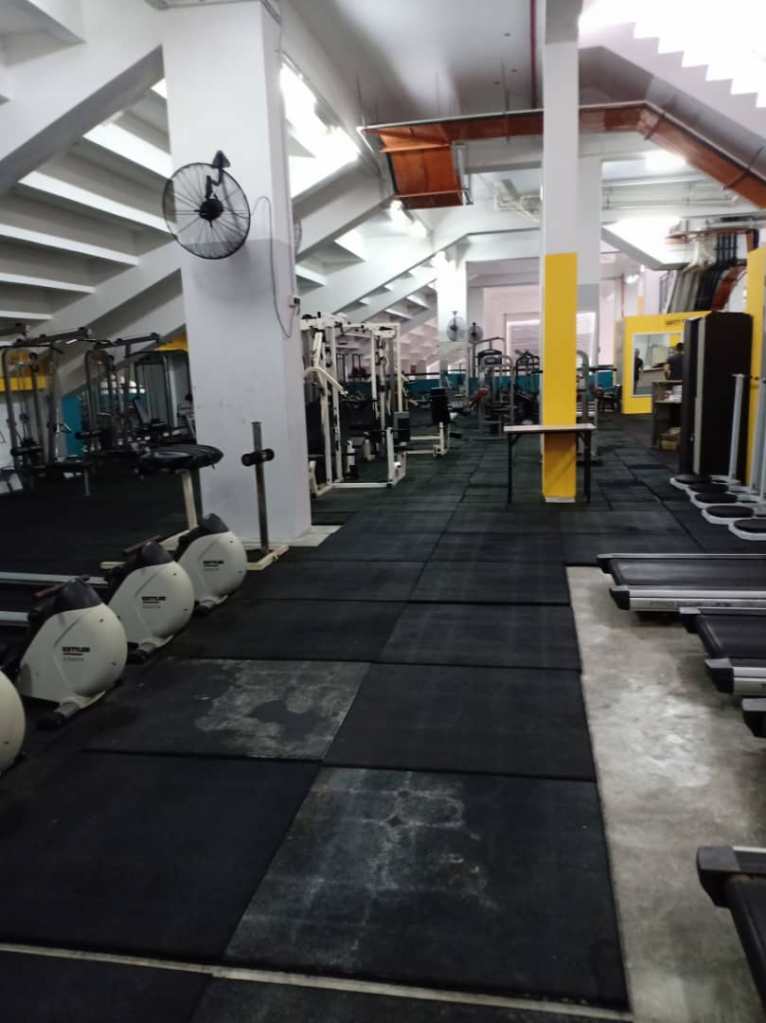
The gym provides a sufficient number of fans. There is no air conditioner provided in the gym. The temperature is normal as it is not too high or low which allows the gym users to be comfortable with the gym atmosphere. Even though the gym is located in a room or closed area, it is not too humid when the outside temperature is high. But the users could still feel the heat or a little bit hot in the gym if they do not switch on the fans.
5. Equipments
There are about five treadmills provided by the UNIMAS Gym. The treadmill section is not crowded with users as they use different equipments at different time.
References
Colour for air traffic control displays, Displays, Reynolds, Linda , Displays 15, 4, p215: https://doi.org/10.1016/0141-9382(94)90070-1
E.J. McCormick , M.S. Sanders . (1982) , Human Factors in Engineering and Design D.V. Hopkins , R.M. Taylor . Human factors in the design and evaluation of aviation maps. AGARDograph , 225
Ergonomics: standards and guidelines for designers, 1987 British Standards Institution, London
Ravnik, Robert & Solina, Franc. (2013). Audience Measurement of Digital Signage: Quantitative Study in Real-World Environment Using Computer Vision. Interacting with Computers. 25. 10.1093/iwc/iws023.
Wolf, Lauren (23 May 2012). “6 Tips for Designing an Optimal User Interface for Your Digital Event”. INXPO. Archived from the original on 16 June 2013. Retrieved 22 May 2013.
 HUMAN FACTORS & ERGONOMICS