Introduction
Interface : Car Audio Control System (Bluetooth)
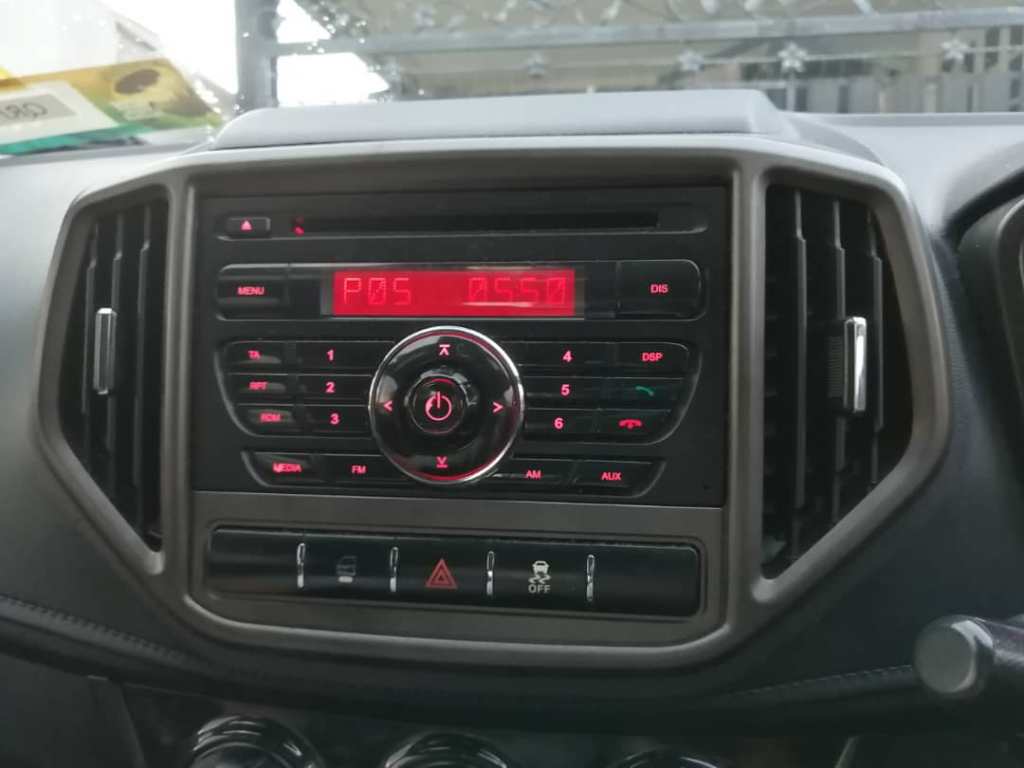
The interface selected is the Bluetooth connection which is a part of the car audio control system for Proton Iriz 2015. The work process that is derived according to human factors components are the user is a 23 years old full time student, Bodevan. His task is connecting his phone to car audio system by pairing them through Bluetooth to stream music from his phone to the car’s speakers His environment is his friend’s car, a Proton Iriz 2015. The equipment used is the car audio control system’s Bluetooth.
User
Persona
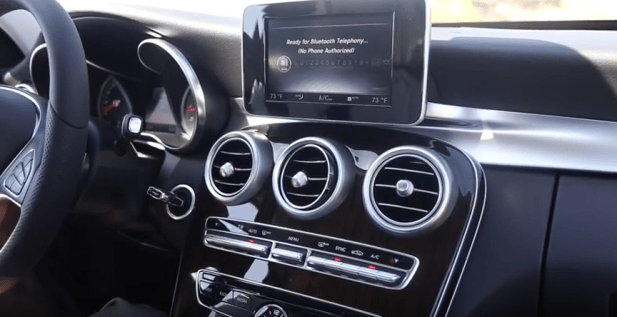
Bodevan is a 23 years old, full time second year student at Universiti Malaysia Sarawak. He is a film student but he is currently taking 2 electives this semester: Mandarin and Business studies. He is very passionate about cinematography and music. He deemed it as the most important part of his life. He does not work while studying because he wants to focus completely in his studies. He comes from a rich family but never flaunt his wealth. He is currently single after breaking up with his ex-girlfriend 10 months ago. He is a complete extrovert, always looking for something fun to do and always up for impromptu trips which is why his best friend, Aiman and him fit like a puzzle. He currently own a car which was handed down to him from his father, a Mercedes GLA45 2015. This specific car uses a digital display to navigate through its settings. Therefore, he is an expert at using digital displays as car control system but a total beginner for other car control panel interface besides his own car. From his observation, they all come with different designs and functions, some looks more complex than others. His characteristics that make him Bodevan are easy-going, determined, cheerful, and he dislikes to be a burden for other people.
His current car control system display (Mercedes GLA45 2015)
Motivations
Bodevan listens to a lot of songs. He also likes to keep up with new trends and genre that is available for both movies and songs. His real motivation that really reminds him why he loves these types of art is finding new songs or movies that he deems as rare gems, ones that can touch his heart and makes it feel whole before feeling empty once they end.
Goals
His goals for a functional car audio control system’s Bluetooth is be able to stream his song to the car’s audio with ease and quick, with no hassle involved. His main goal is to connect and pair his phone’s Bluetooth to the car successfully. However, before that is possible, he needs to figure out how the car audio control system works in order to navigate the settings. If he can navigate through the car’s settings, only then can he enable the Bluetooth connection for the car’s audio system and pair it with his phone.
Frustrations
The frustrations that Bodevan go through while trying to reach his goal is he finds the current existing audio control system in Proton Iriz 2015 to be too complicated because the settings are too hidden for a function that people commonly use daily, connecting their Bluetooth to it. He wastes a lot of time pressing buttons to figure out where the Bluetooth setting is hidden. He also accidentally go into a different setting and changing it when he uses the right or left button instead of the up and down button (Video : https://drive.google.com/file/d/1AgZTwA-vLSpgl58ji-wEkniSDy3zIdWG/view?usp=drivesdk). When this happens, he has no other choice but to push the Media button to go back to the main menu and start from square one again to locate the Bluetooth setting, having to push more buttons. Once he did discover the Bluetooth setting and successfully pair his phone to the car’s Bluetooth, he also had a hard time figuring out why is the music from his phone is not streaming to the car audio although his phone explicitly shows the Bluetooth had been successfully connected.
Bio
Bodevan is 23 years old Film student at Universiti Malaysia Sarawak. He is currently single and is a full time student. He is passionate about cinematography and music. He likes to eat fast food and have favourites for each category : McDonald’s for fried chicken and chicken burgers, Burger King for beef burgers and KFC for french fries, He is also an audiophile, always checking which headphones and speakers are the best in the market. He always carry his Sennheiser HD660S everywhere, even outside of his house and an AUX cable to connect to his phone to his car audio system in which maintains the audio quality of music compared to connecting to Bluetooth. His favourite bands are Cage The Elephant and Death Cab By The Cutie. Recently, he is really into Scarlet Pleasure and had been obsessed with their song. He does not have any genre he likes in specific and keep his taste in music diverse. His ideal day is to lay on a hammock at his house’s backyard and preferably under the stars with his amplifier blaring his most recent favourite playlist at that time.
Scenario
Bodevan and his friend, Aiman plan to go to Sarawak Cultural Village together to complete their assignment. It is nearing mid semester break so Bodevan is really stressed out chasing assignments deadlines and preparing for the mid-semester examination. He only has a few hours of sleep before meeting with Aiman tomorrow. Bodevan can hear honking sounds from outside his house and opens his window to tell Aiman to wait. Bodevan was hurrying, stuffing things he think he needs into his bag before finally sitting inside Aiman’s car. Aiman tells him that he will be stopping at a mosque for a moment as he has not perform his Zuhur prayer. Bodevan nods in reply and they both talk and complain about their assignment progress. Once at the mosque, Aiman parks his car and let Bodevan stays in it. It did not take long for Bodevan to notice the silence. Due to the chaos in the morning, Bodevan realizes that he forgot to take his AUX cable in his car. Bodevan figured out he can just connect the car audio to his phone through Bluetooth. He remembered Aiman had played music using bluetooth during their car rides together before. So, he started to study the controls and pressing the buttons, hoping he will figure out how to find the Bluetooth setting and pair his phone to the car audio system.
Tool
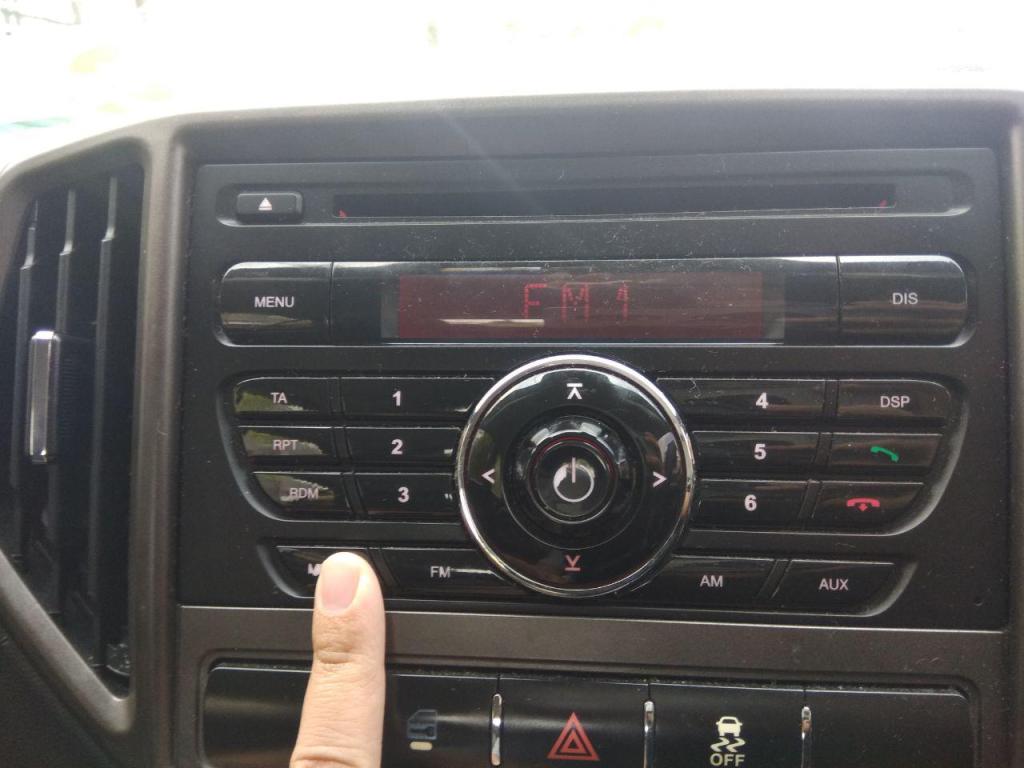
Proton Iriz 2015 Audio Control System
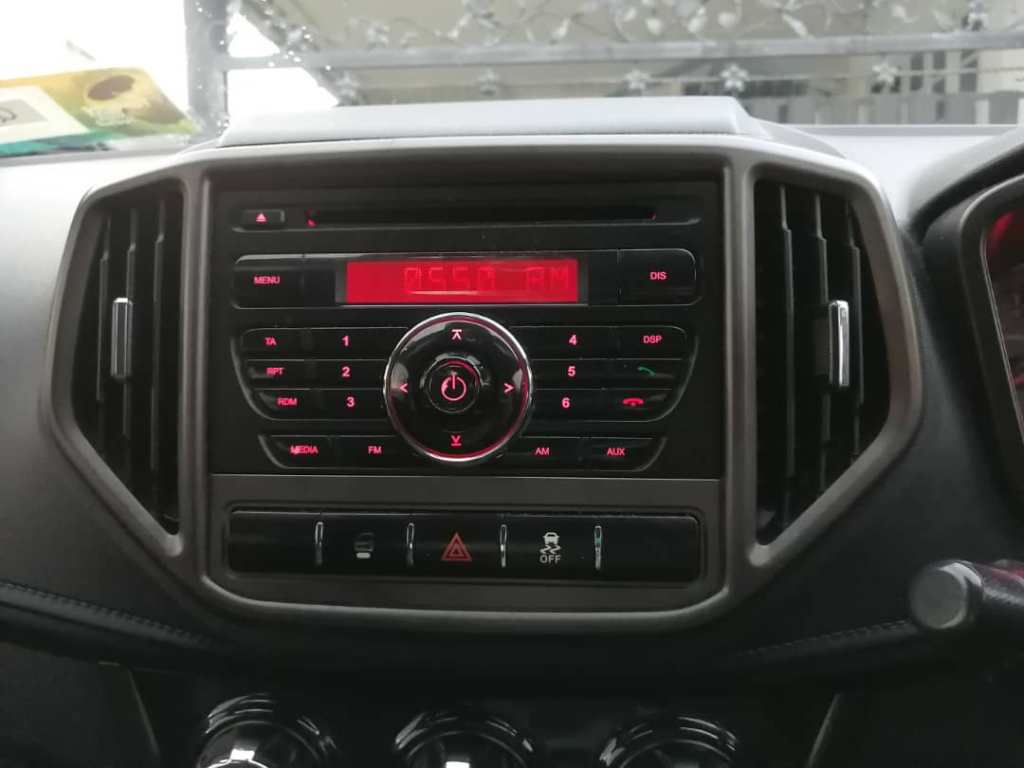
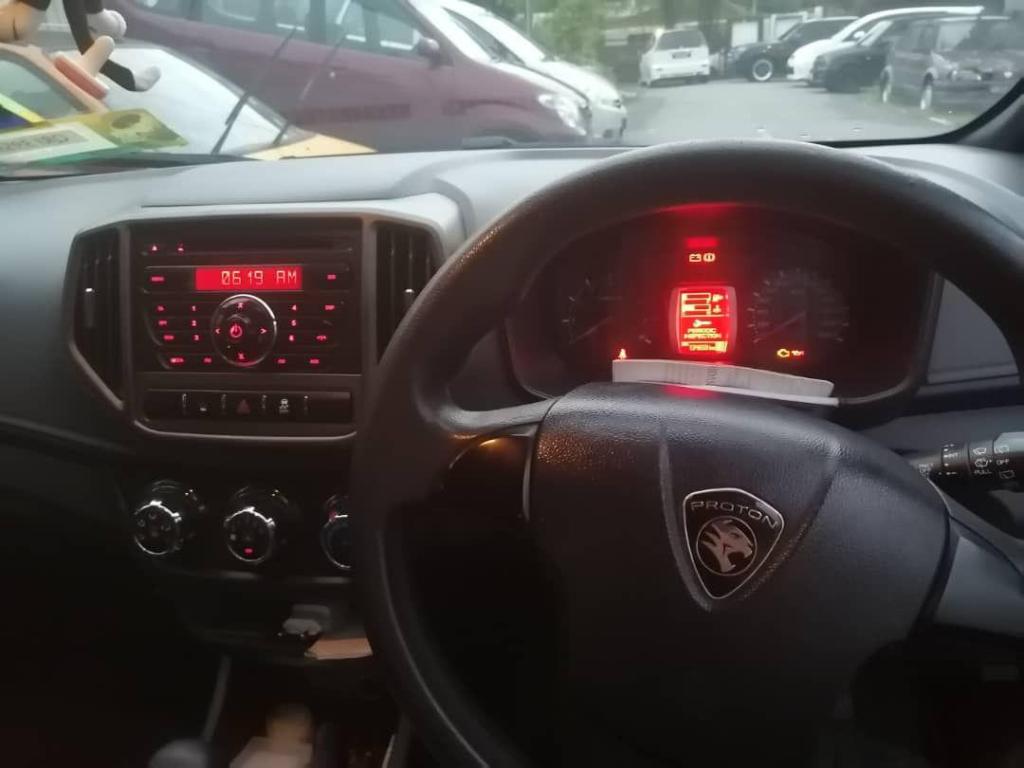
The type of control display is discrete control because the buttons are separated individually and there is tactile feedback received by the end user every time an action is executed. The feedback is also displayed to the end user through a display. The type of display is static display where the control panel has symbols on it and the display change with the action executed by the end user.
Example
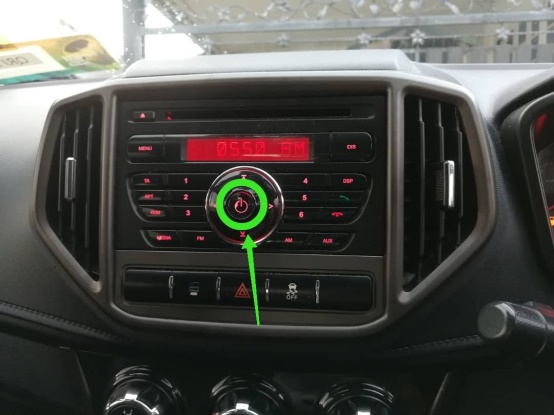
Power Button : Turn the audio system on or off.
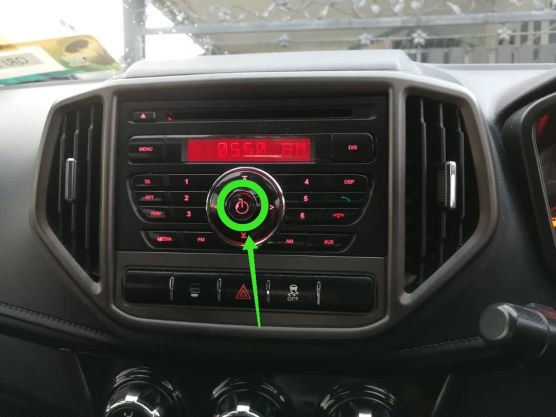
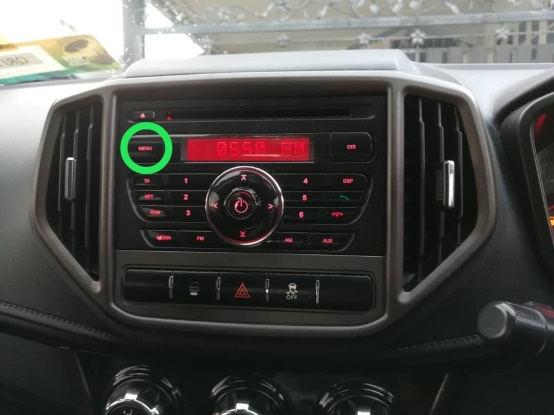
Menu : To access menu
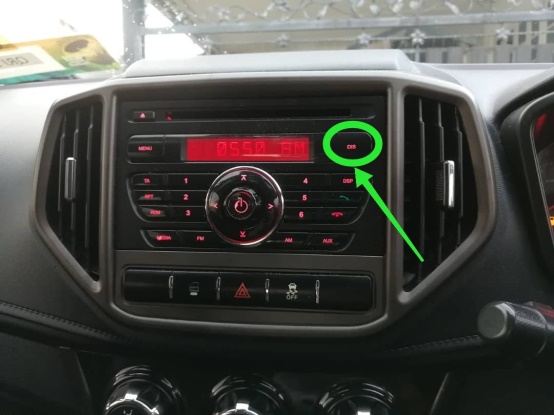
Display : Can interchangeably display the time or radio station
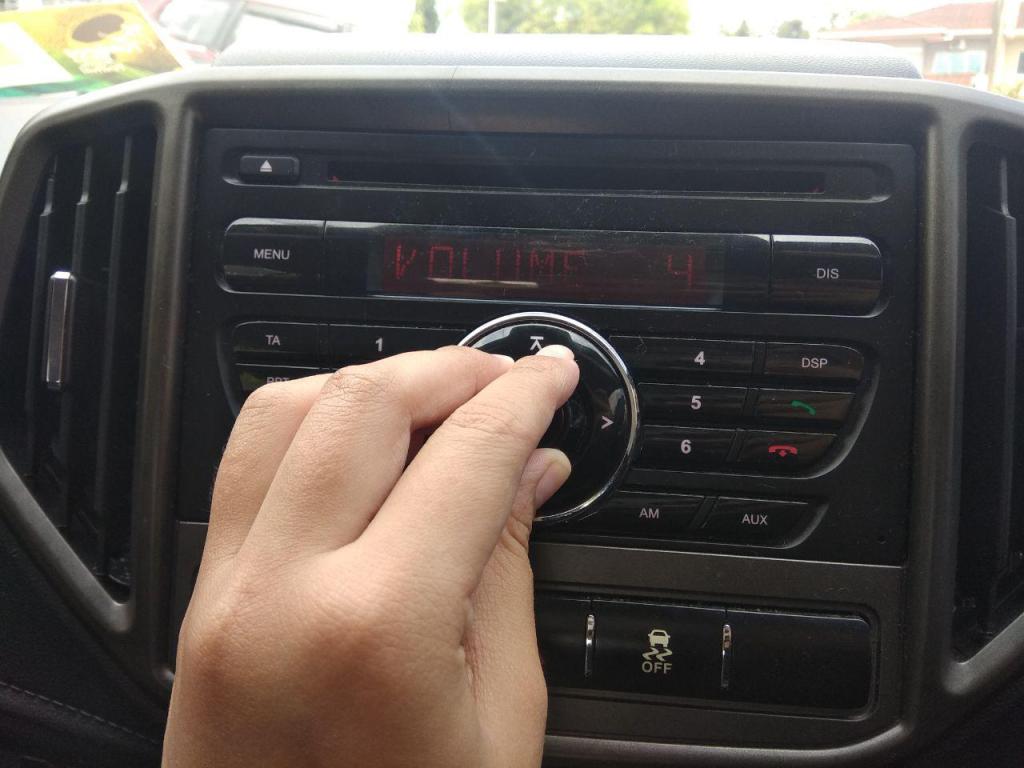
Circle Dial around Power Button: To lower or increase the volume of audio system.
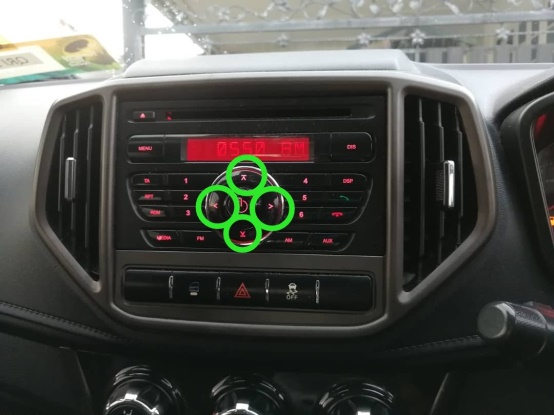
Arrow Button : To navigate through the settings available to be changed by the end user of the audio system.
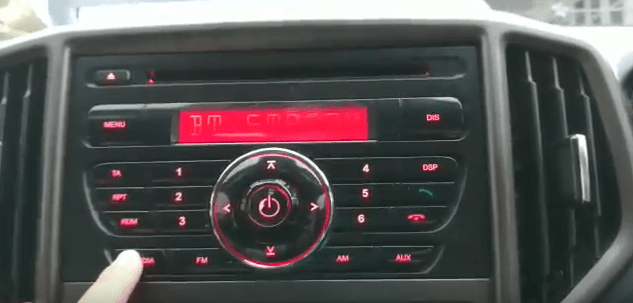
Media : Check what audio is streaming whether AM or FM 1 or FM 2 or AUX or Bluetooth.
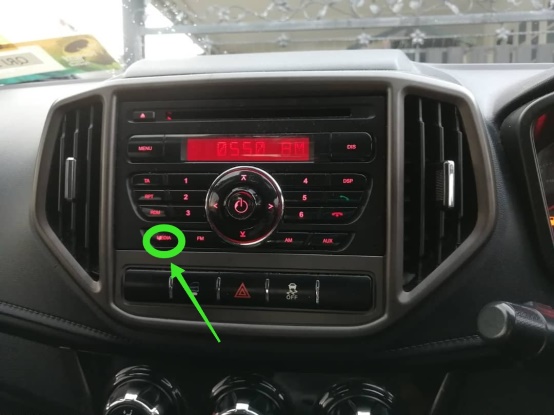
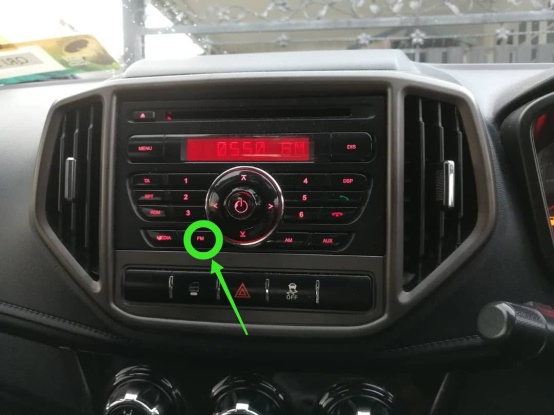
FM : Can change between FM 1 or FM 2 to play FM stations frequency.
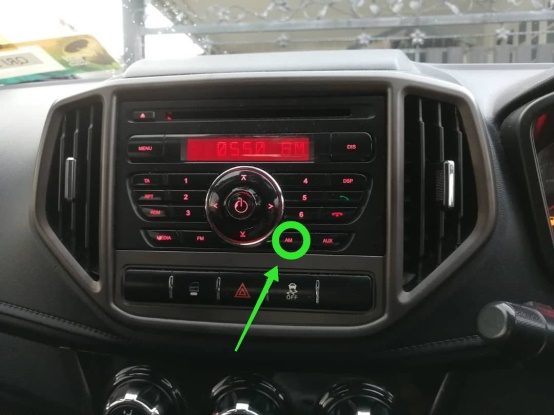
AM : Change the audio system to play AM radio stations frequency.
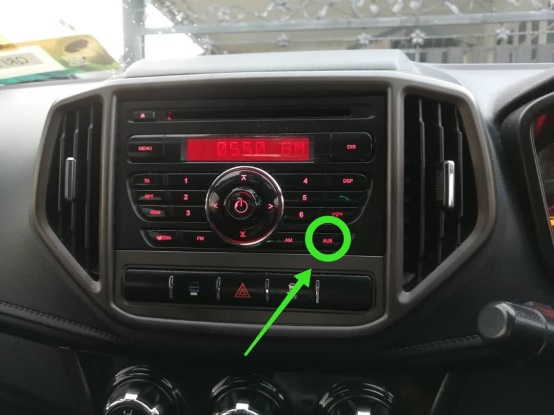
AUX : To stream media using AUX cable
Task
The task that Bodevan needs to perform is connecting his phone to the car audio control system by pairing them through Bluetooth to stream music from his phone to the car’s speakers.
Norman’s Interaction Diagram
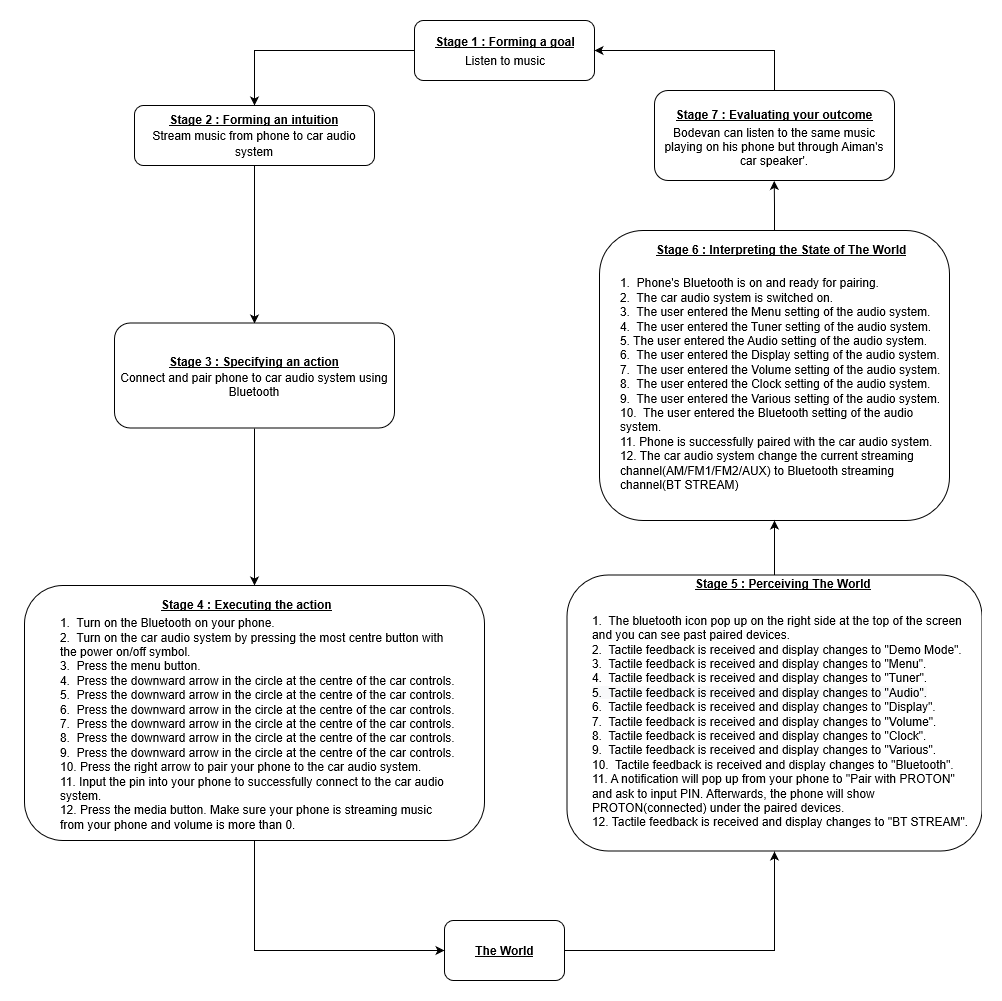
The steps to perform the task is as follow:
Video : https://drive.google.com/open?id=1Aa76flUZNM5TRr4OipCcXbC8711qk9pf
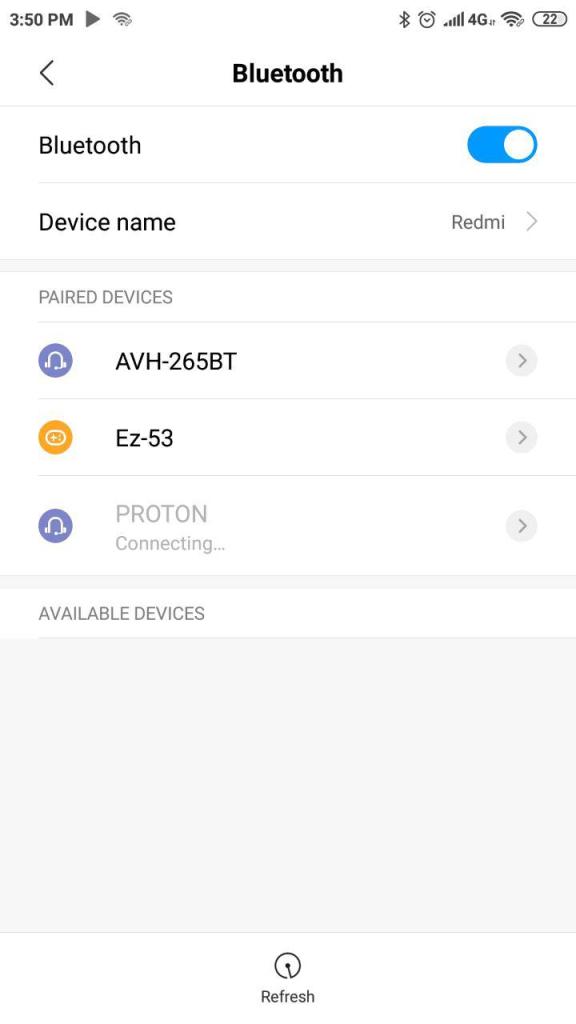
1. Switch on your phone’s Bluetooth.
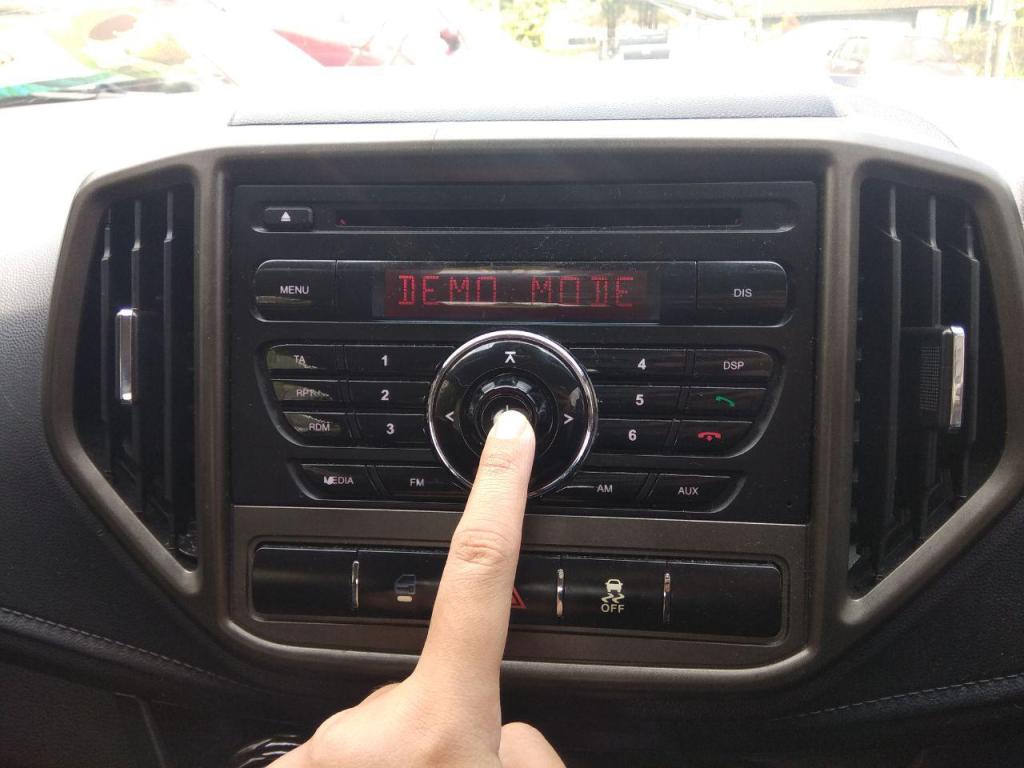
2. Switch on car audio by pressing the most centre circle button with the power symbol. (Display : Demo Mode)
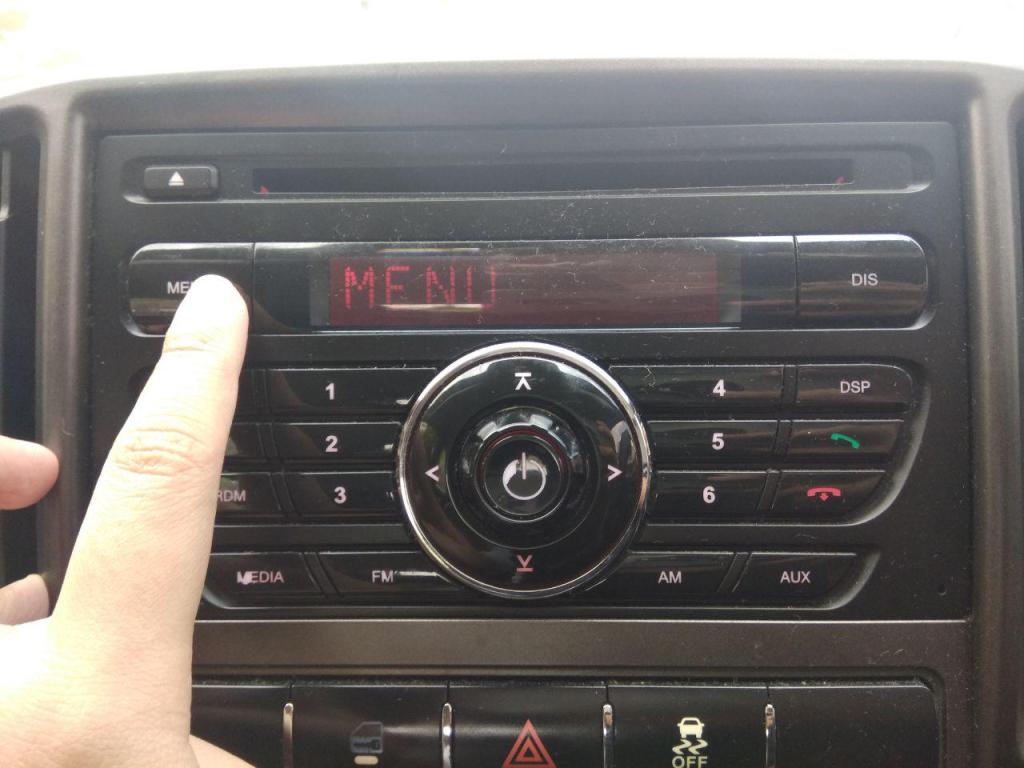
3. Press the Menu button. (Display : Menu)
4. Proceed to press the down arrow button under the power button. (Display : Tuner)
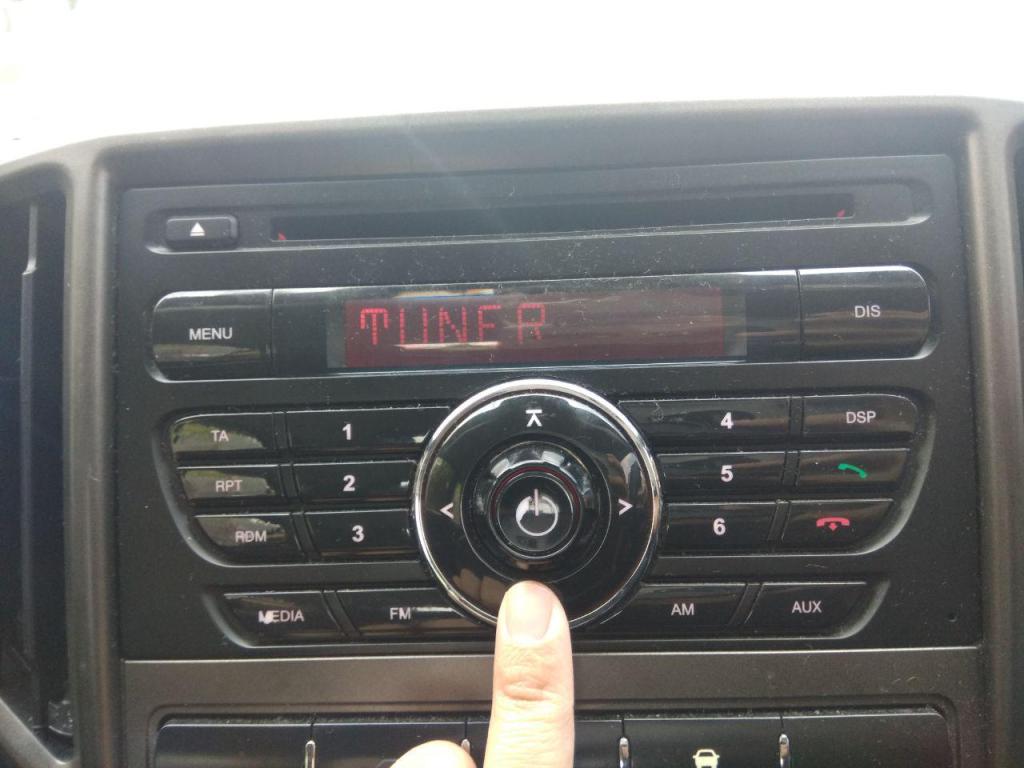
5. Press the button with down arrow again. (Display : Audio)
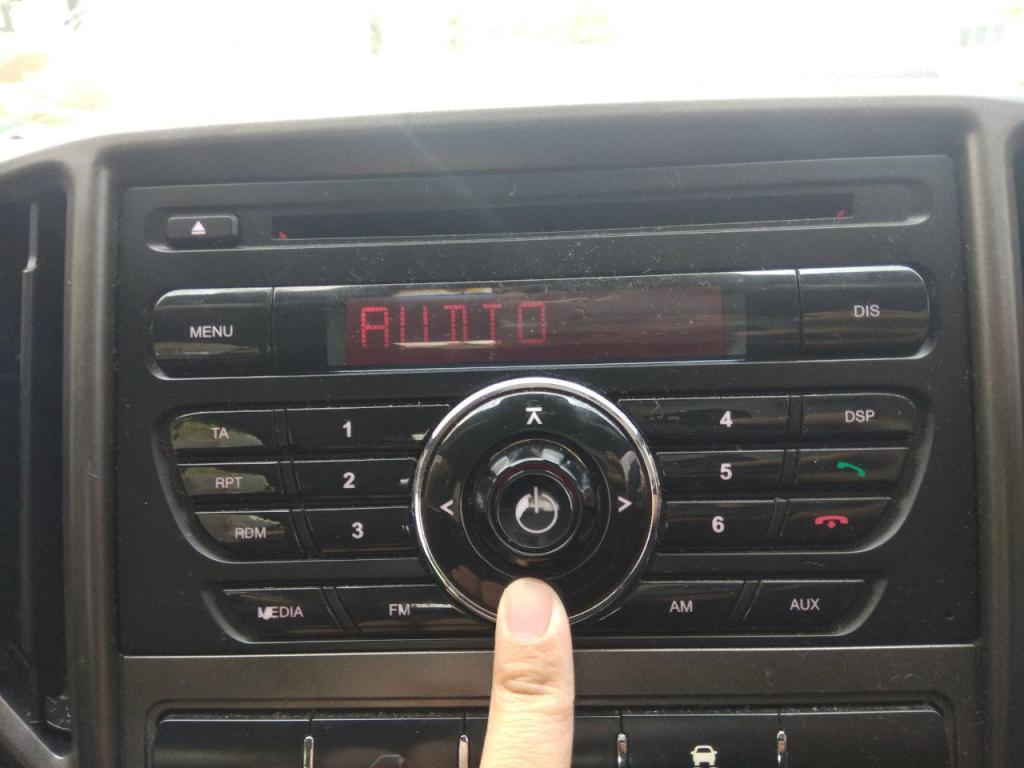
6. Press the button with down arrow again. (Display : Display)
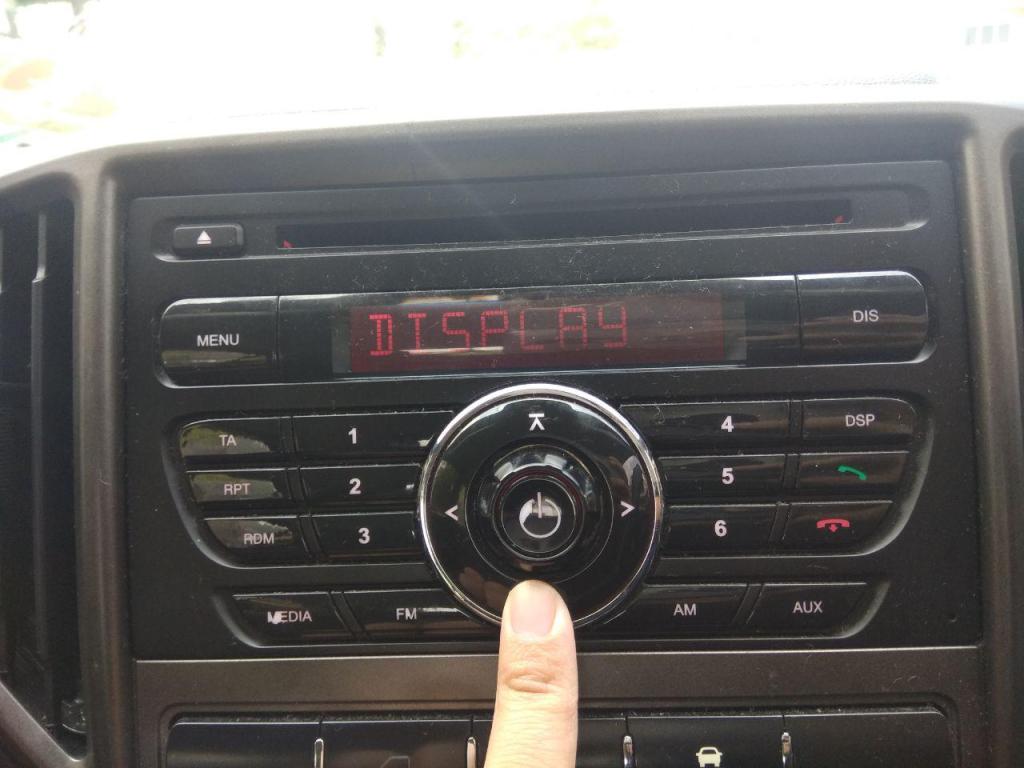
7. Press the button with down arrow again. (Display : Volume)
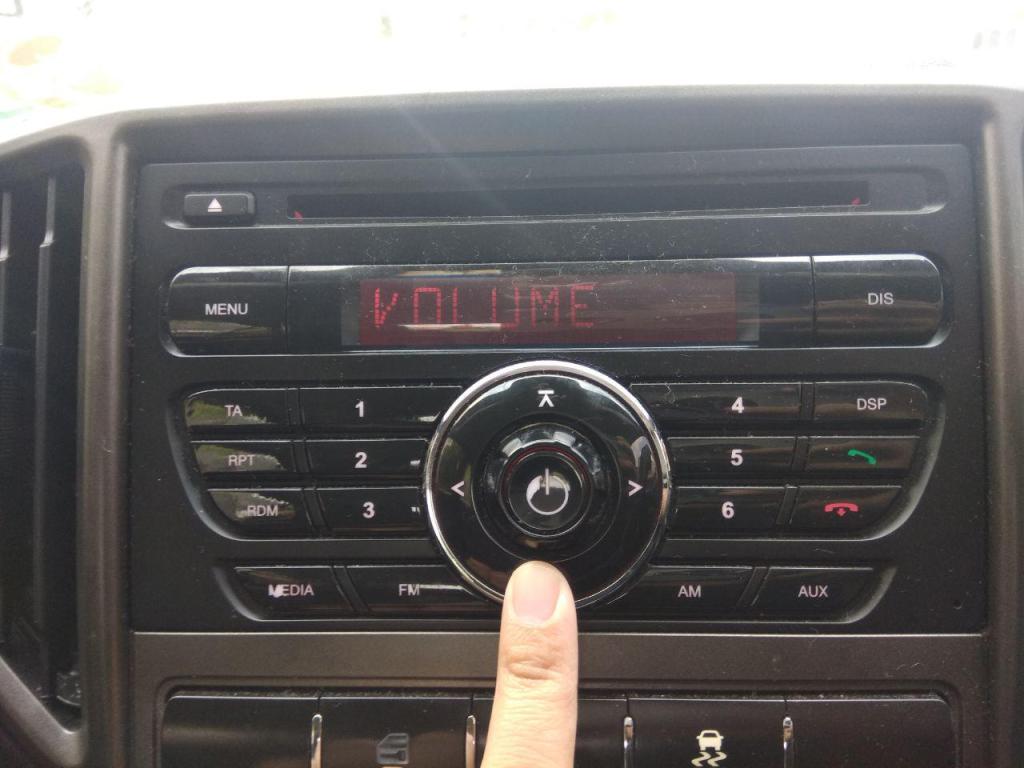
8. Press the button with down arrow again. (Display : Clock)
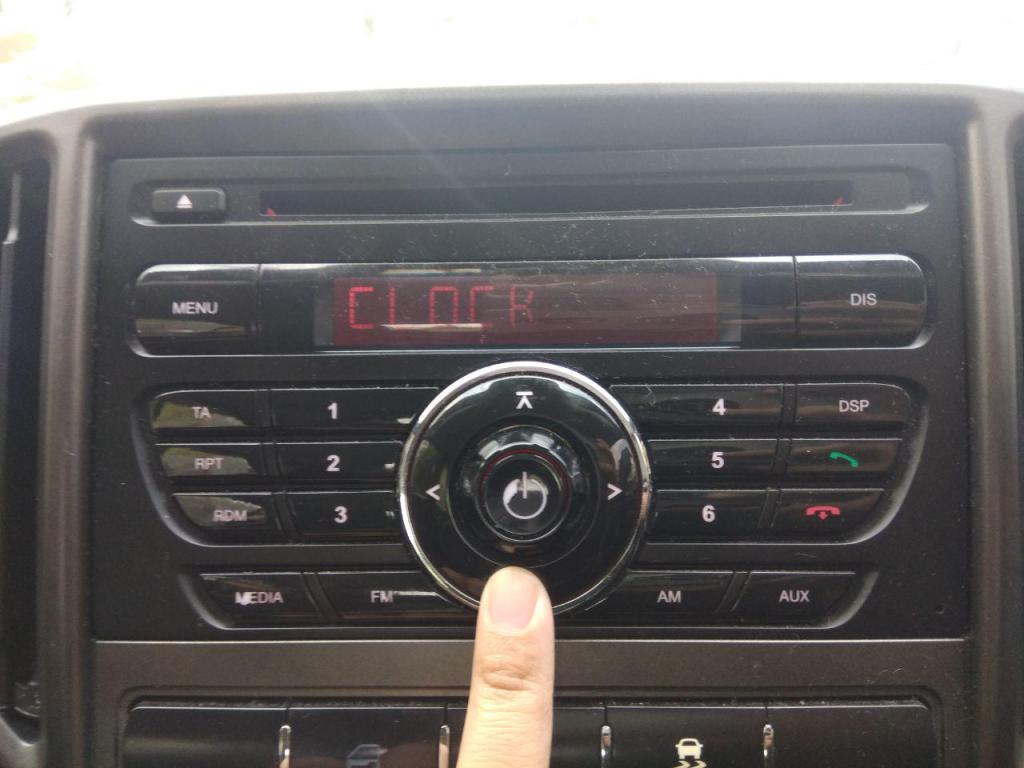
9. Press the button with down arrow again. (Display : Various)
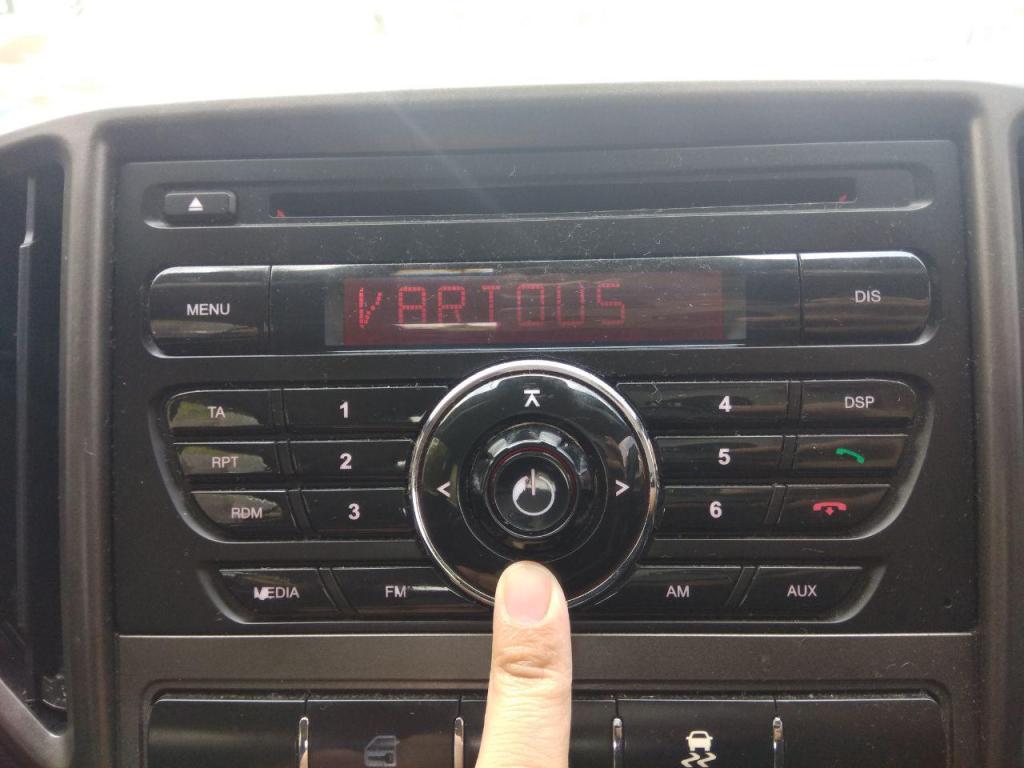
10. Press the button with down arrow again. (Display : Bluetooth)
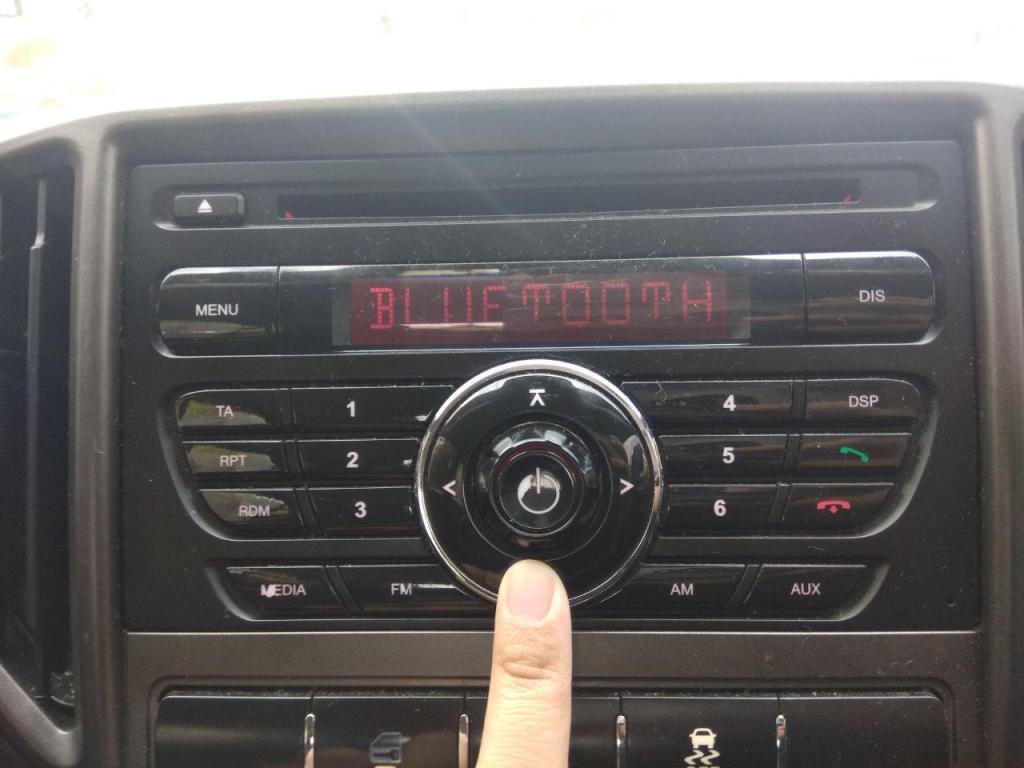
11. Press the button with right arrow to pair phone device to car audio system. (Display : Pairing)
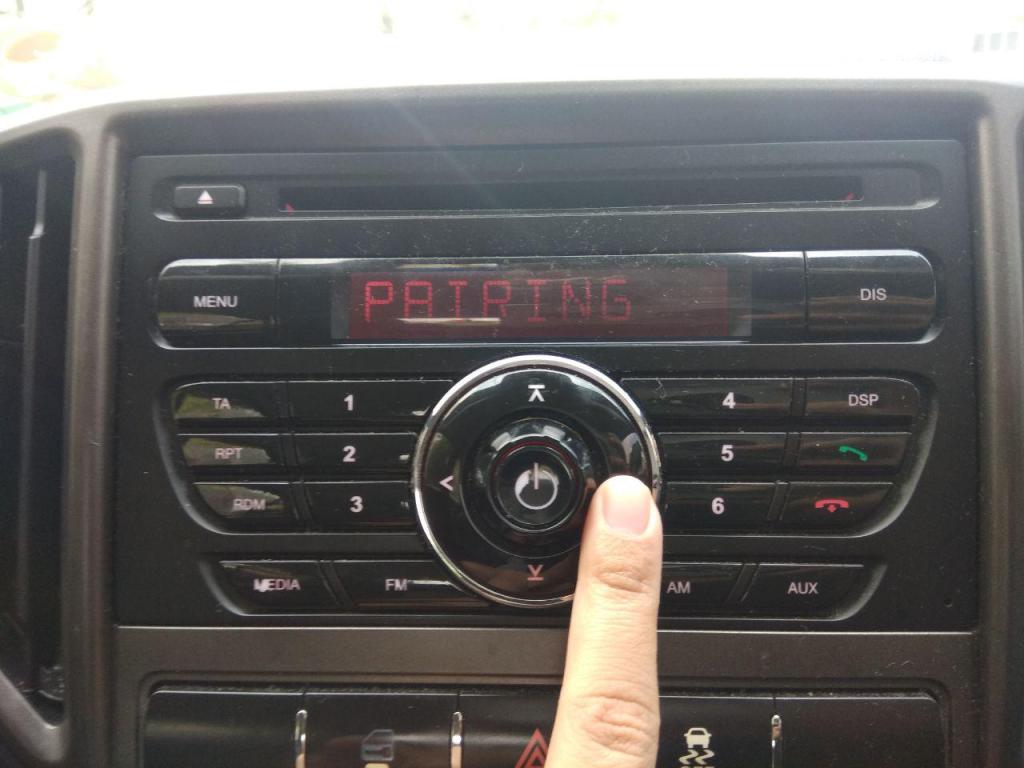
12. Go on your phone to put input the pin to connect to car audio system’s Bluetooth. Usually is ‘1234’ and will be displayed on the car audio system’s display. Look at the display whether the Bluetooth connection was successful. (If successful, Display : Connected. If not, retry from step 10 or 3, if needed.)
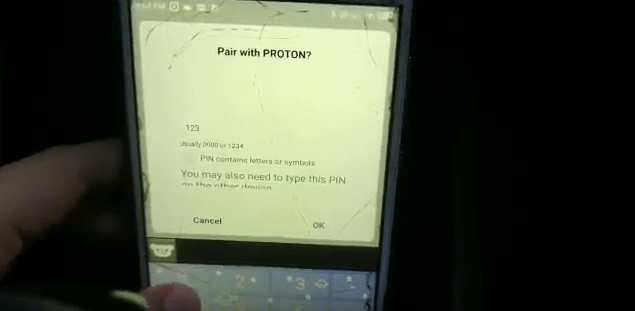
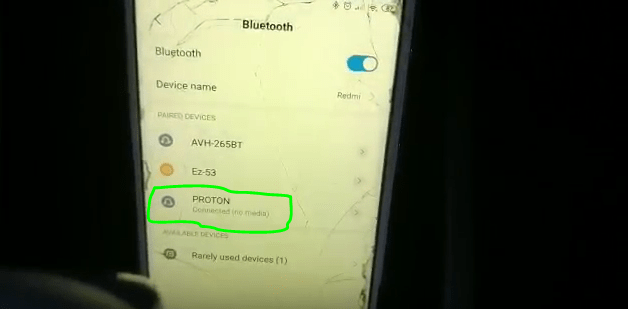
13. Make sure the media is playing from your phone and press Media button on the car controls. (Display : BT Stream)
Optional steps :
- Turn the dial to lower/increase the volume of audio.
- Press the Media button to check whether the audio is playing the radio(AM/FM) or connected through AUX or Bluetooth. (Display : AM/FM 1/FM 2/ AUX)
Environment
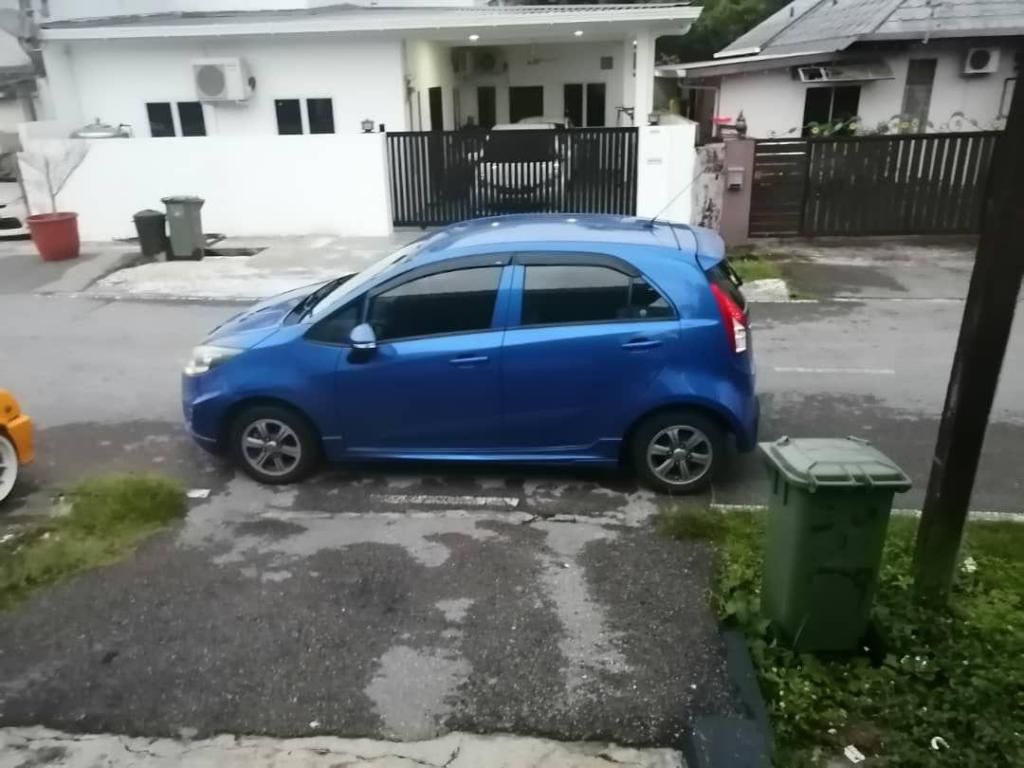
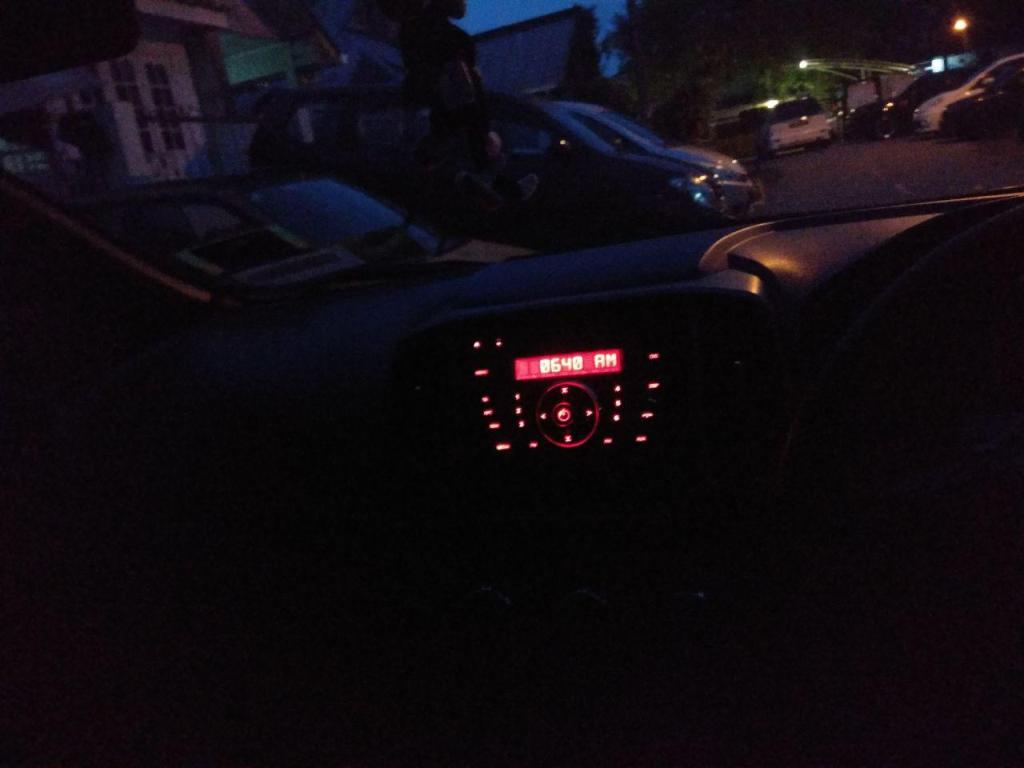
The environment where the car audio control system can be found is inside a car, to be specific for this case is the Proton Iriz 2015. The control system is stationary by itself but as a whole system(the car) can be either stationary or mobile. The temperature depends on the ambience temperature which can differ from 25 to 35 degree Celsius whether on rainy day or hot. Since the audio control system is located inside the car, the weather is irrelevant but the control system can be damaged if exposed to water. It is possible to use the controls with little to non light source as the buttons are backlit so user can see the individual symbols of each buttons and the digital display. The readability is also great as it uses red color and big fonts. The noise level can differ from low to high, depending on whether the window is open, traffic and/or the volume of music is playing. The vibration also can differ from low to high, depending the road condition and traffic circumstances.
Proton Iriz 2015
Proton Iriz 2015 Audio Control System
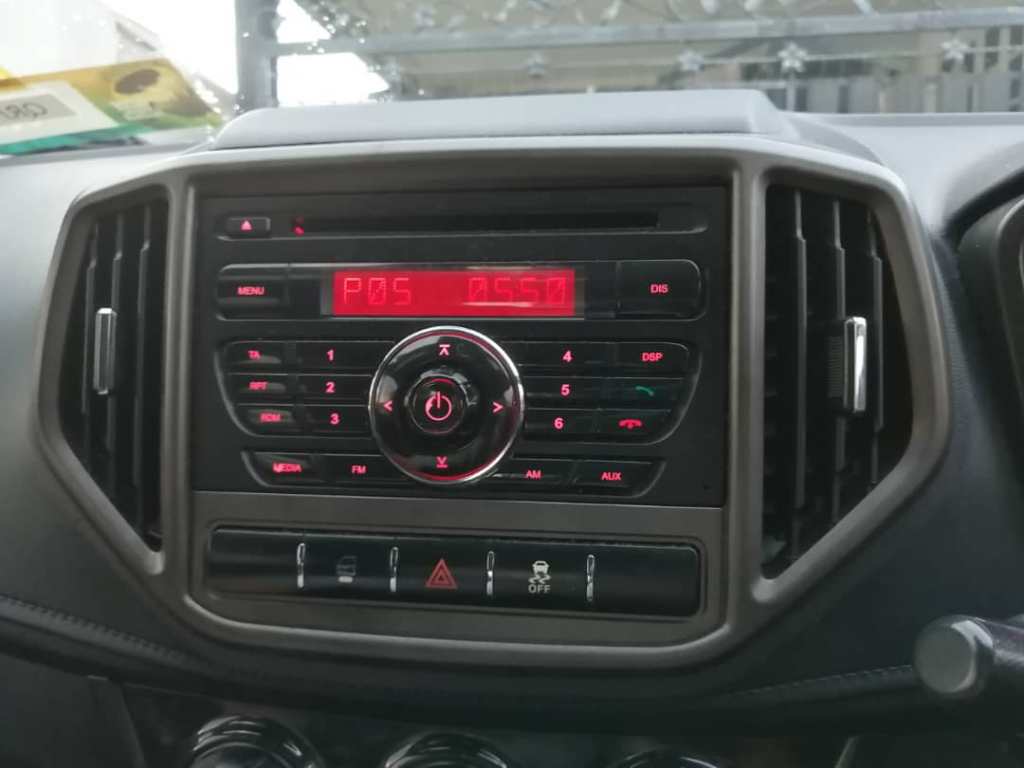
Display console in daylight (car engine off)
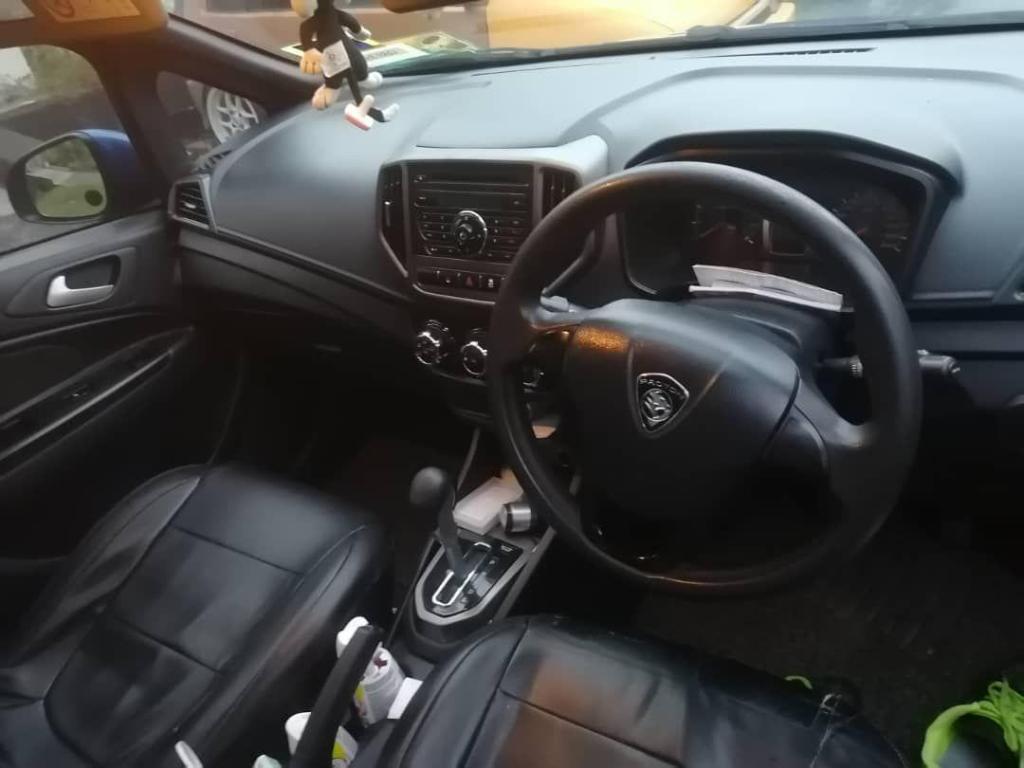
Display console in daylight (car engine on)
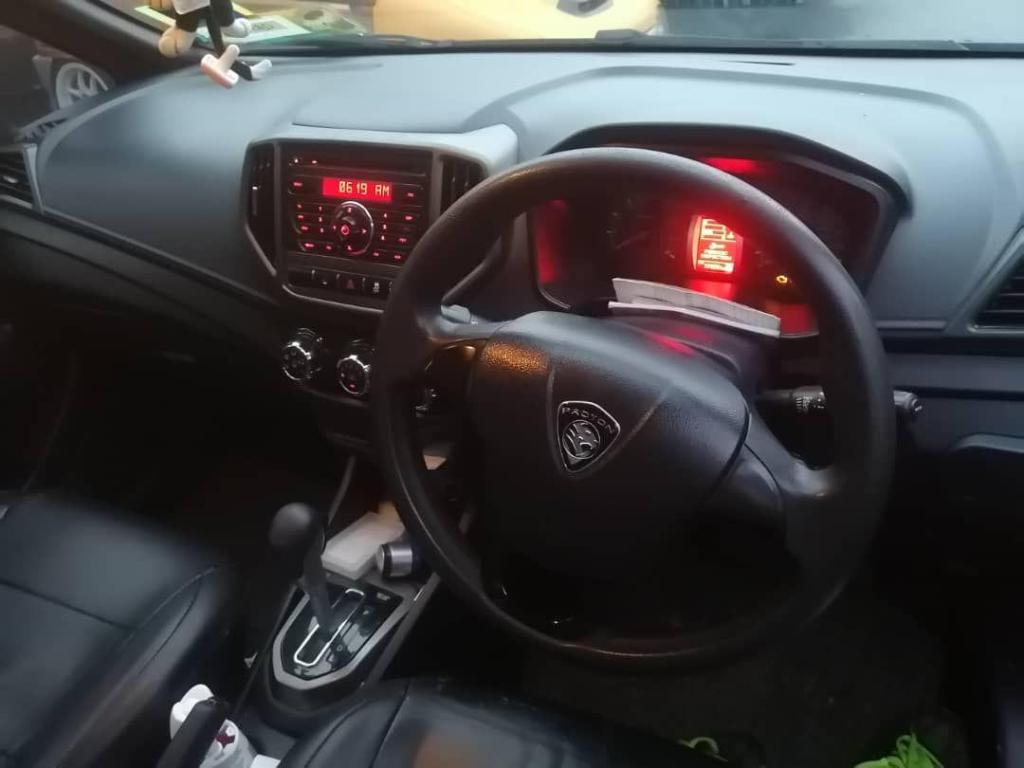
Display in daylight
Display in the dark (car engine off)
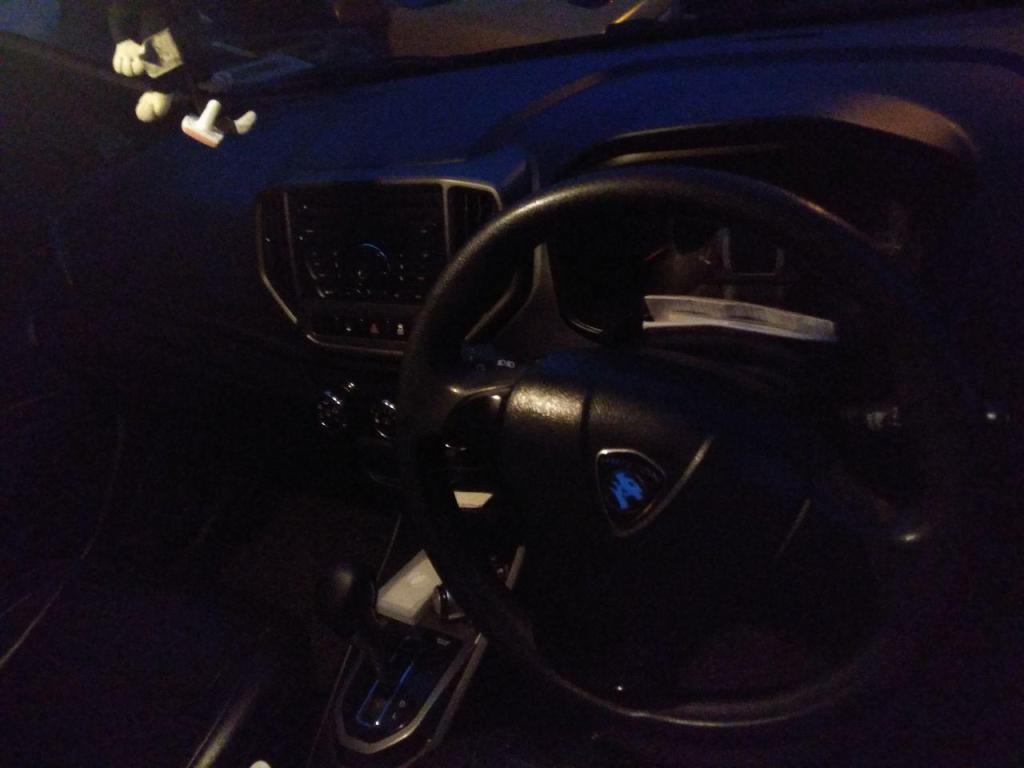
The display in the dark (with light lit)
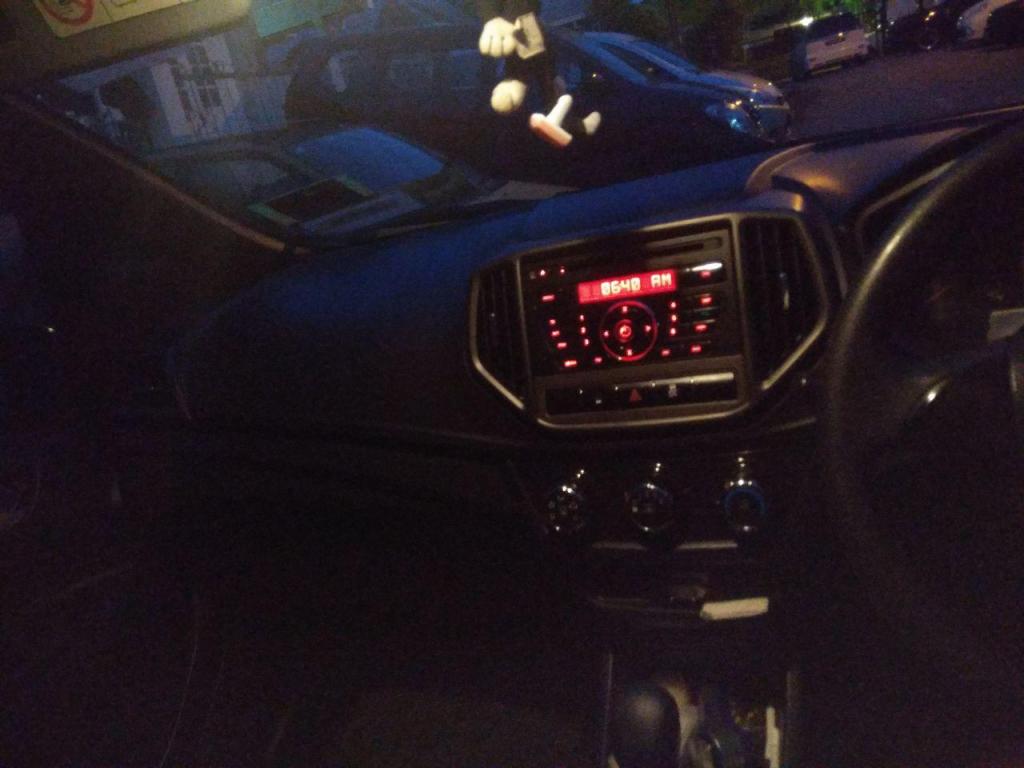
The display in the dark (no light lit)
 HUMAN FACTORS & ERGONOMICS